Web security for NZ small businesses: protect yours now
Learn what web security means for NZ small businesses, the real threats you face, and practical steps to protect your website and customer data t...

TL;DR:
- Well-optimized web forms can significantly increase lead capture and customer engagement.
- Compliance with NZ Privacy Act requires clear notices, secure storage, and minimal data collection.
- Using multi-step forms, clear labels, and security measures improves conversion and protects customer data.
Most New Zealand small businesses treat their web forms as an afterthought. A quick contact form slapped on the page, never tested, never updated. But here’s the thing: your forms are quietly costing you customers every single day. NZ business sites average 2-3% conversion on standard forms, and that number drops even lower for ecommerce. That’s a lot of missed enquiries. The good news? With the right approach, web forms become one of your most powerful tools for capturing leads, automating admin, and building genuine customer relationships. This guide shows you exactly how.
| Point | Details |
|---|---|
| Forms boost business efficiency | Well-designed web forms save time and help you serve more customers, more easily. |
| Optimisation raises conversions | Short, multi-step forms and clear instructions dramatically increase completion rates. |
| Privacy compliance is essential | Following NZ privacy laws protects your customers and prevents costly fines. |
| Security must be proactive | Protect every form submission with HTTPS, input checks, and regular reviews. |
Web forms have come a long way from the humble “contact us” box. Today, they’re the engine behind lead generation, quote requests, booking systems, customer feedback, and even automated follow-up sequences. For a small Kiwi business, that’s a big deal.
Think about how much time your team spends on manual data entry, chasing up enquiries, or sorting through emails. A well-built form can handle all of that automatically. It captures the right information upfront, routes it to the right person, and even triggers a follow-up email without anyone lifting a finger.
Here’s what a well-optimised web form can do for your business:
The data you collect through forms is genuinely valuable. It tells you what your customers need, how they found you, and what’s driving their decisions. That’s marketing gold for any small business.
“A web form isn’t just a data collection tool. It’s the first real conversation you have with a potential customer. Make it count.”
The numbers back this up. Multi-step forms convert at 13.85% compared to just 4.53% for single-page forms, and the average abandonment rate sits at 27%. That means more than one in four people who start filling out your form never finish it. For businesses investing in professional services web design, getting forms right is just as important as getting the visual design right.
The misconception that forms are a “set and forget” tool is exactly what holds most small businesses back. Your form is a living part of your website. It needs attention, testing, and regular updates to keep performing.
The gap between a form that converts and one that doesn’t often comes down to a few small but critical decisions. Let’s walk through what actually moves the needle.
Multi-step vs single-page forms
The data is clear. Multi-step forms outperform single-page forms by a significant margin, converting at 13.85% versus 4.53%. Breaking a form into smaller, logical steps reduces the feeling of overwhelm and keeps users engaged. Think of it like a conversation rather than a questionnaire.

| Form type | Average conversion rate |
|---|---|
| Single-page form | 4.53% |
| Multi-step form | 13.85% |
| NZ business average | 2-3% |
| NZ ecommerce average | 1.5-3% |
Five steps to better form performance
Pro Tip: Add short reassurance messages near sensitive fields. A simple line like “We’ll never share your details” next to an email field can lift completion rates noticeably. This kind of microcopy builds trust at exactly the right moment.
For more practical ideas on improving your site’s performance, check out these website upgrades for more leads that work well for NZ service businesses. It’s also worth considering inclusive web design principles to make sure your forms work for every visitor, regardless of ability.
This is the part most business owners skip. And it’s the part that can get you into real trouble.
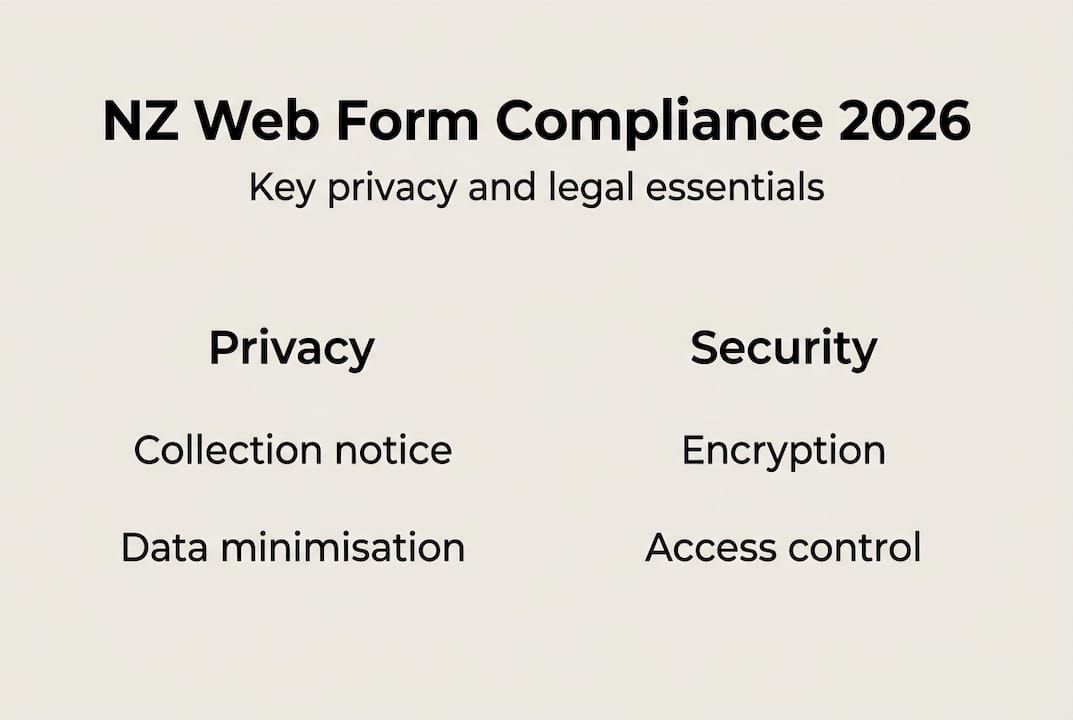
The NZ Privacy Act 2020 requires collection notices on any form collecting personal information. That means you need to tell people why you’re collecting their data, who might receive it, and how it will be stored. It’s not optional, even for small businesses.
Here’s what the Privacy Act 2020 means for your web forms:
| Requirement | What it means for your form |
|---|---|
| Collection notice | Tell users why you’re collecting data and who sees it |
| Minimum fields (IPP1) | Only collect what you actually need |
| Secure storage (IPP5) | Store data safely, limit access |
| Sensitive data | Requires explicit consent from the user |
| User rights | People can request access to or deletion of their data |
Non-compliance can result in fines of up to NZD 10,000. That’s a real risk for any business, and it’s entirely avoidable with a few simple steps.
Your compliance checklist for web forms:
Understanding web accessibility and compliance goes hand in hand with privacy. Both are about respecting your users and meeting your legal obligations. If you’re building more complex data-driven tools, our web app development guide covers these obligations in more depth.
Privacy compliance and security are related but different. Compliance is about following the rules. Security is about actually protecting your users’ data from threats.
Small business forms are a surprisingly common target for hackers and spammers. An unsecured form can expose customer data, flood your inbox with spam, or even become a gateway for attacks on your website. The good news is that solid protection doesn’t require a big budget.
Five security steps every NZ small business should take:
Pro Tip: Schedule a quarterly review of your privacy policy and form security settings. Regulations and threats both evolve, and staying ahead of changes is far easier than reacting to a breach or a fine. Pairing good security with cost-saving website security features keeps your overheads low while your protection stays high.
Here’s the uncomfortable truth we see again and again: most small business web forms fail not because of bad design, but because of neglect.
Business owners spend time and money getting their website looking great, then publish a basic contact form and never touch it again. No testing. No updates. No review of whether it’s actually converting visitors into customers.
The businesses that get real results from their forms treat them like any other sales tool. They test different versions. They review the data. They update the copy when something isn’t working. They integrate their forms with their CRM or email marketing so every submission becomes an opportunity, not just an inbox notification.
Another thing we notice? Businesses that obsess over aesthetics often overlook usability. A form that looks beautiful but asks for too much information, or doesn’t work properly on mobile, will still underperform. Usability beats aesthetics every time.
The real differentiator is treating your form as a conversation starter, not a data collection exercise. When you build forms with genuine value exchange in mind, asking only what you need and being clear about what happens next, completion rates climb and customer trust grows.
If you want to see what a properly integrated, conversion-focused form setup looks like, exploring custom web development benefits is a great place to start. Off-the-shelf solutions have limits. Custom builds don’t.
Your web forms are working right now, for better or worse. The question is whether they’re working for you.

At Virtual Innovation, we help New Zealand small businesses build web forms that are secure, compliant, and genuinely conversion-focused. Whether you need a WordPress website design overhaul, a Shopify web agency NZ partner, or a custom solution through our web app development expertise, we’ve got you covered. We keep things practical, plain-speaking, and focused on real results for Kiwi businesses. Get in touch today and let’s make your forms work as hard as you do.
Web forms streamline lead capture and automate data entry, making it easier for NZ small business owners to manage customer interactions without extra admin work.
Use multi-step forms, reduce required fields, and provide clear privacy information. Multi-step forms outperform single-page forms significantly, converting at 13.85% versus 4.53%.
Yes. Under the NZ Privacy Act 2020, you must show a collection notice and only request information that is strictly necessary, regardless of your business size.
Unsecured forms can expose customer data to hackers through XSS attacks and spam bots. Always use HTTPS and input sanitisation as a minimum baseline.