

TL;DR:
- Slow-loading websites lead to higher user frustration and lost sales in New Zealand.
- Optimizing Core Web Vitals, especially LCP, is crucial for better performance and trust.
- Using local NZ hosting and CDN significantly improves site speed and customer experience.
A potential customer clicks your website link, waits three seconds, then closes the tab and heads straight to your competitor. Sound familiar? Slow websites are one of the biggest silent killers of small business revenue in New Zealand. Research confirms that slow-loading sites frustrate users and reduce sales, and with more Kiwis browsing on mobile than ever before, the stakes are higher than most business owners realise. This guide walks you through exactly what to measure, what to fix, and how to keep your site fast so visitors stay, trust you, and buy from you.
Table of Contents
- Understand website speed: What really matters
- Preparation: Test your current website speed
- Execution: Proven steps to optimise your website speed
- Troubleshooting and common mistakes to avoid
- Why website speed is your silent sales weapon (and what most guides miss)
- Ready for a faster website? Get expert help
- Frequently asked questions
Key Takeaways
| Point | Details |
|---|---|
| Speed boosts business | Every second you save can increase customer retention and sales. |
| Test before you tweak | Use NZ-based tools to measure your score and improvements. |
| Host locally for gains | Local NZ hosting and CDNs offer the fastest experience for Kiwi customers. |
| Images and code matter | Optimising images and cleaning up code delivers instant speed wins. |
| Avoid quick-fix traps | Skipping checks or using wrong settings can slow your site instead of helping. |
Understand website speed: What really matters
Website speed is not just about how quickly your page loads. It is about how fast it feels to your visitor. That distinction matters a lot. Google measures this through a set of metrics called Core Web Vitals, which focus on three key experiences: loading, interactivity, and visual stability.
Here is a quick breakdown of the three Core Web Vitals and their thresholds:
| Metric | Good | Needs improvement | Poor |
|---|---|---|---|
| LCP (Largest Contentful Paint) | Under 2.5s | 2.5s to 4s | Over 4s |
| INP (Interaction to Next Paint) | Under 200ms | 200ms to 500ms | Over 500ms |
| CLS (Cumulative Layout Shift) | Under 0.1 | 0.1 to 0.25 | Over 0.25 |
These Core Web Vitals benchmarks are the official targets Google uses to assess your site’s experience. Think of LCP as the moment your visitor sees the main content. INP is how quickly your page responds when someone taps or clicks. CLS measures whether your page jumps around as it loads, which is incredibly annoying on mobile.
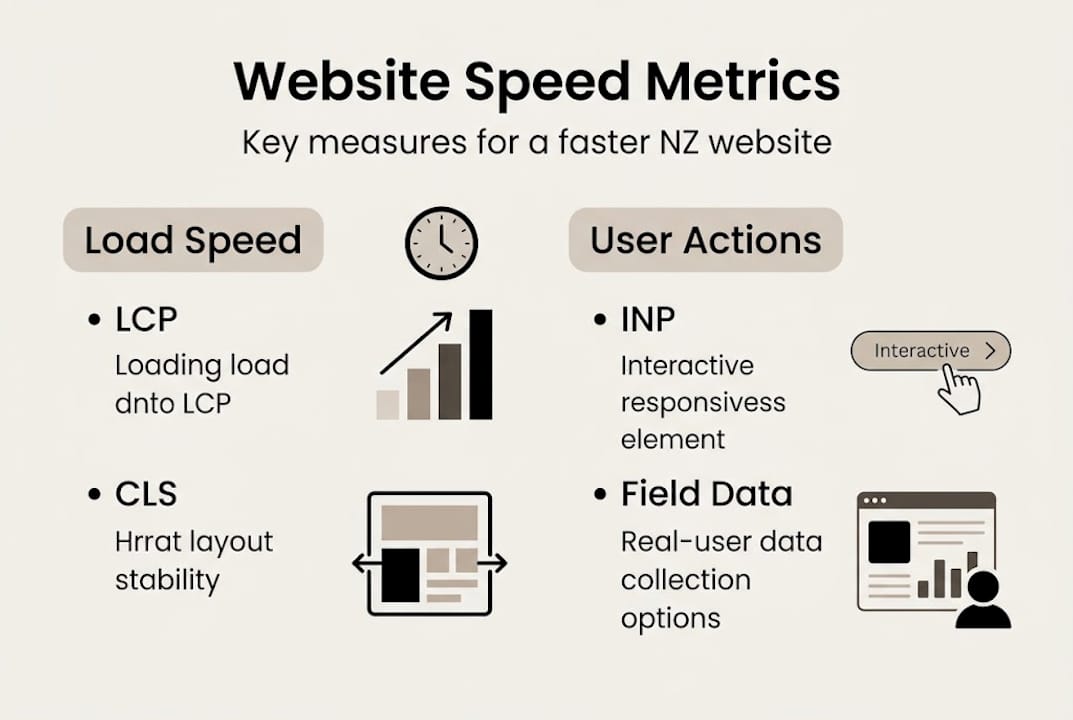
For practical business impact, you should prioritise LCP for revenue, then INP, then CLS. Why? Because if your main content takes more than 2.5 seconds to appear, most visitors leave before they even see what you offer.
Mobile performance is particularly important in New Zealand. Only 43% of mobile sites hit their speed targets compared to 53% of desktop sites. That gap is significant. Most of your customers are probably browsing on their phones, often on variable mobile connections. Pairing this with the key website features that NZ service businesses rely on means speed is non-negotiable.
Key metrics to watch:
- LCP: Is your hero image or headline loading in under 2.5 seconds?
- INP: Do buttons and menus respond instantly?
- CLS: Does your page layout stay stable as fonts and images load?
- TTFB (Time to First Byte): How quickly does your server respond at all?
If your LCP is over 4 seconds, you are almost certainly losing customers before they even read a single word.
Preparation: Test your current website speed
Before making changes, you will need to check where your website stands today. The good news is that all the best testing tools are completely free.
| Tool | What it measures | Free version? | Mobile test? |
|---|---|---|---|
| Google PageSpeed Insights | Core Web Vitals, lab and field data | Yes | Yes |
| GTmetrix | Load time, waterfall chart, performance scores | Yes | Yes |
| WebPageTest | Advanced diagnostics, server location options | Yes | Yes |
| Google Lighthouse | In-browser audit across all categories | Yes | Yes |
| Search Console CWV | Real user field data for your site | Yes | Yes |
You can use performance tools to get detailed diagnostics from multiple angles. Each tool tells a slightly different story, so using two or three together gives you a much clearer picture.
Here is how to run your first proper speed test:
- Go to PageSpeed Insights and enter your homepage URL.
- Check both mobile and desktop scores.
- Scroll down to see which specific issues are flagged.
- Run the same URL through GTmetrix, selecting a New Zealand or Australian server location.
- Compare the results and note which issues appear across multiple tools.
Pro Tip: Always test using a server location as close to New Zealand as possible. Testing from a US server will give you artificially fast results that do not reflect what your actual Kiwi customers experience. Tools like GTmetrix and WebPageTest let you choose your test location, so use Sydney or Auckland when available.
Pay close attention to the difference between lab data and field data. Lab data is a simulated test. Field data comes from real users visiting your site, and this is what Google cares about most when assessing your site’s performance. If your field data is poor, it shows up directly in Search Console and affects your rankings.
Also check your website hosting basics because hosting quality is often the root cause of poor speed scores. A slow server means a slow site, full stop.

Execution: Proven steps to optimise your website speed
Once you know what needs attention, you are ready to make practical changes. Here are the most impactful steps you can take, roughly in order of priority.
- Move to a reputable NZ-based host. Geography matters enormously in New Zealand. Using local NZ hosting and CDN cuts latency caused by distance from global servers. Look for hosts with servers in Auckland or Sydney.
- Use a content delivery network (CDN). A CDN stores copies of your site’s assets on servers around the world, including closer to your NZ visitors. This dramatically reduces load times for images and scripts.
- Optimise your images. Images are almost always the biggest culprit for slow sites. Convert them to WebP or AVIF format, use responsive image sizing with srcset, and compress every image before uploading.
- Minify and compress your code. Minifying CSS, JavaScript, and HTML removes unnecessary characters. Enabling Gzip or Brotli compression on your server reduces file sizes by up to 70%.
- Enable browser caching. This tells returning visitors’ browsers to store parts of your site locally so they do not have to download everything again on every visit.
- Eliminate render-blocking resources. Scripts and stylesheets that load before your page content delay everything. Load non-critical JavaScript asynchronously or defer it.
- Prioritise mobile-first improvements. Given how variable broadband and device hardware is across NZ, your mobile experience needs to be rock solid. Test on older Android devices, not just the latest iPhone.
Pro Tip: Never lazy-load your hero image. Lazy loading tells the browser to wait before loading an image, which sounds efficient, but it actually slows your LCP score because your hero image is often the largest content element on the page.
Quick wins vs. advanced improvements:
- Quick wins: Image compression, enable caching, remove unused plugins, upgrade hosting
- Advanced: CDN setup, code splitting, self-hosting fonts, TTFB reduction
For a deeper look at your options, explore reliable NZ hosting and how custom web development benefits small businesses looking for performance at scale.
Troubleshooting and common mistakes to avoid
Even with a strong plan, some easily-overlooked traps can wreck speed gains, so watch out for these issues.
The most common mistakes NZ small business websites make:
- Lazy loading the hero image. As noted, do not lazy load your LCP image. It actively hurts your most important speed metric.
- Overloading the site with heavy scripts. Chatbots, analytics tools, social media widgets and third-party embeds all add weight. Audit them regularly.
- Unoptimised web fonts. Loading multiple font weights from Google Fonts or similar services adds extra requests. Self-host your fonts and load only what you use.
- Ignoring layout shift (CLS). If images and ads do not have reserved space defined in your CSS, they push content around as they load. Always reserve space for images and ads to avoid this.
- Cheap overseas hosting. This is a false economy for NZ businesses. Hosting your site on a US server to save a few dollars a month adds latency that frustrates your local customers. The cost-saving features worth investing in are speed and reliability, not cheap hosting.
“Field data matters more than lab results. Always test after changes using real-user metrics in Search Console, not just a simulated tool score.”
For WordPress users specifically, test your speed after every plugin or theme update. A single poorly coded plugin can undo months of optimisation work. Make it a habit, not an afterthought.
Advanced fixes worth knowing:
- Self-host your fonts to avoid third-party DNS lookups
- Use code splitting to load only the JavaScript each page actually needs
- Break up long tasks in your JavaScript to keep INP responsive
A regular monitoring schedule prevents speed regressions. According to best practice, continuous monitoring is what separates businesses that stay fast from those that drift back to slow over time. Use your website features checklist as part of a regular site health review.
Why website speed is your silent sales weapon (and what most guides miss)
Most speed guides treat this as a purely technical exercise. We think that misses the point entirely.
Speed is about trust. When your site loads instantly, it signals to your visitor that you are professional, reliable, and worth their time. When it crawls, even a brilliant product or service loses credibility before the visitor reads a single word.
Here is what most advice skips over: the SEO benefit of a fast website is not mainly because Google rewards speed as a direct ranking factor. It is because fast sites have lower bounce rates and higher engagement, and those are the signals Google actually cares about. A 0.5-second improvement in load time can noticeably lift your conversion rate, especially for Kiwis who have grown impatient with slow global websites.
For NZ businesses, local hosting and a well-configured CDN are not just technical choices. They are trust signals. A site that loads quickly for someone in Christchurch or Hamilton builds repeat visits and word-of-mouth referrals in ways that a sluggish offshore-hosted site never will. This is especially true for web design for professional services where first impressions determine whether a prospect picks up the phone.
Speed is a sales weapon. Treat it like one.
Ready for a faster website? Get expert help
Optimising your website speed can feel like a lot to take on, especially when you are already running a busy business. The good news is you do not have to figure it all out alone.

At Virtual Innovation, we work with NZ small businesses every day to build and improve websites that load fast, look great, and convert visitors into customers. Whether you need a brand new Web design Auckland solution, a high-performance Shopify websites NZ store, or a speedy WordPress website design rebuild, we have got the expertise to make it happen. Get in touch for a free consultation and let us show you exactly what a faster website can do for your business.
Frequently asked questions
What is the easiest way to check my website speed?
Use Google PageSpeed Insights or GTmetrix and test from New Zealand locations for accurate results that reflect what your actual customers experience.
Is a CDN really necessary for New Zealand businesses?
Yes. A CDN is essential because of NZ’s geographic isolation, which adds latency when content is served from overseas servers, especially for clients spread across the country.
How much does image optimisation improve site speed?
Optimised images can shave seconds off your load time and significantly boost your Core Web Vitals scores, often making it the single biggest win available.
Does website speed affect SEO in Google NZ?
Site speed impacts SEO mainly because fast sites have lower bounce rates and stronger engagement. User behaviour amplifies the SEO effect more than the technical score alone.