
Why website speed matters: boost conversions and trust
Discover why website speed matters for NZ small businesses. Learn how faster load times boost conversions, build trust, and improve your Google r...

New Zealand’s online retail market is growing fast, and small businesses are right in the middle of it. The NZ e-commerce market is projected to exceed $5 billion by 2029, with small firms already seeing real sales growth. Yet many Kiwi business owners still think e-commerce websites are complicated, expensive, or only for big brands. They’re not. Whether you sell handmade goods, professional services, or everyday products, an e-commerce website can open your business to customers 24 hours a day, seven days a week. This guide breaks it all down in plain language so you can make a confident, informed decision.
| Point | Details |
|---|---|
| Clear website definition | An e-commerce website acts as your digital shopfront, handling sales, payments, and orders online. |
| Local market opportunity | NZ’s booming online market means small businesses have huge potential for growth and reach. |
| Platform matters | Choosing a platform like Shopify or WooCommerce influences setup speed, compliance, and feature options. |
| Conversion-focused features | Mobile design, guest checkout, and local payment support boost sales and customer satisfaction. |
| Actionable launch plan | Follow practical steps for planning, launching, and improving your e-commerce site for Kiwi success. |
An e-commerce website is simply your shop, online. Instead of a physical counter, you have a digital storefront where customers browse, choose, and pay without ever leaving their couch. As Zoho Commerce Academy puts it, an e-commerce website is “an online platform that enables businesses to sell products or services over the internet, functioning as a digital storefront with integrated shopping carts, payment gateways, and order management systems.”
Think of it this way: your traditional shop has shelves, a till, and a receipt printer. Your e-commerce site has the same things, just digital. The core components include:
Getting these essential website features right from the start saves you a lot of headaches later. If you’re still figuring out where to begin, our guide on building a business website is a great starting point.
“Your e-commerce website works while you sleep. It’s not just a shop, it’s your most consistent salesperson.”
Pro Tip: Prioritise fast loading times and a clean, simple layout. Customers who can’t find what they need in a few seconds will leave and probably won’t come back.
| Feature | Traditional retail | E-commerce website |
|---|---|---|
| Opening hours | Fixed hours | 24/7 availability |
| Geographic reach | Local only | Nationwide or global |
| Overhead costs | High (rent, staff) | Lower ongoing costs |
| Customer data | Limited | Rich analytics available |
| Scalability | Slow and costly | Fast and flexible |
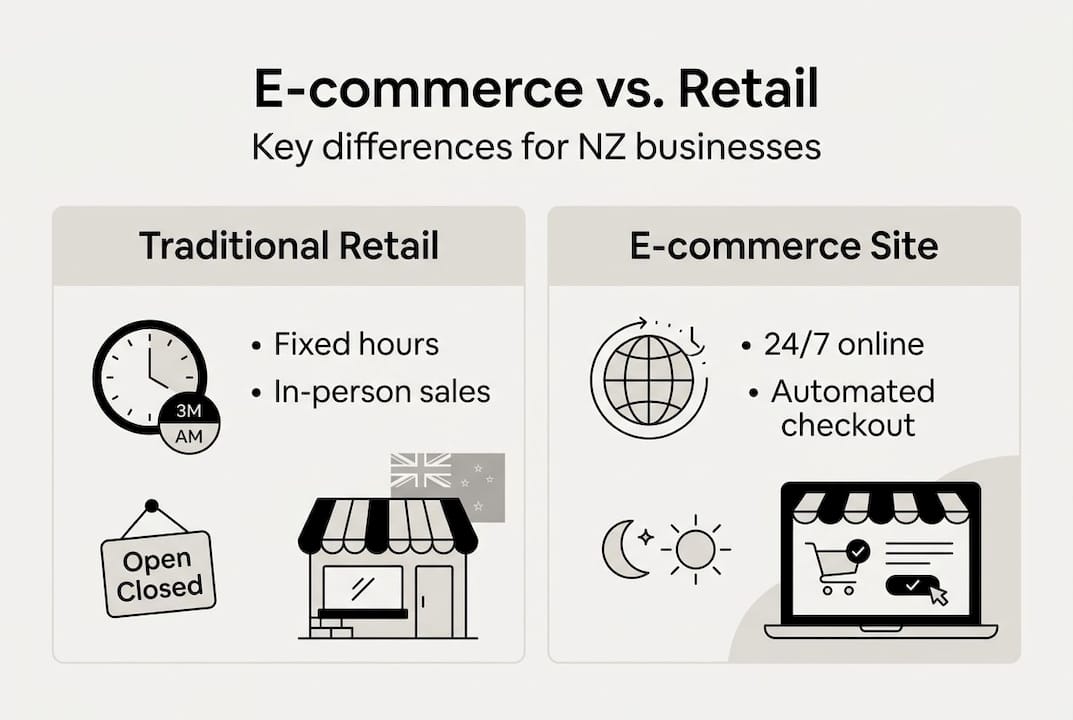
Now that we’ve defined e-commerce websites, let’s look at why their role is expanding so rapidly for NZ small businesses.
With 95.7% internet penetration and high mobile usage across the country, Kiwi consumers are shopping online more than ever. That’s a massive opportunity for small businesses willing to show up where their customers already are.

Here’s a snapshot of the current NZ e-commerce landscape:
| Metric | Current data |
|---|---|
| Market size projection (2029) | Over $5 billion NZD |
| Internet penetration | 95.7% |
| Mobile share of traffic | 70% or more |
| Small business sales growth (Q4 2025) | 4.8% |
Kiwi shoppers have clear expectations. They want speed, simplicity, and local relevance. Specifically:
Here’s a number worth remembering: 72% cart abandonment can be significantly reduced simply by showing pricing and shipping costs clearly upfront. That’s not a small win. That’s the difference between a sale and a lost customer.
If you’re exploring platforms built for this market, Shopify for NZ businesses is worth a close look. And if budget is a concern, check out our breakdown of cost-saving website features that still deliver results.
With a clear view of local e-commerce demand, your choice of platform makes a huge difference to success and compliance.
Not all platforms are created equal, especially when you factor in NZ-specific needs like GST calculation, NZD pricing, and local shipping integrations. According to Shopify platform advice, user-friendly platforms like Shopify are recommended for NZ businesses due to ease of setup, GST compliance tools, NZD support, and integrations with local payments and shipping. WooCommerce offers more customisation but comes with higher maintenance requirements.
Here’s how the main options stack up:
| Platform | Best for | NZ compliance | Ease of use | Cost |
|---|---|---|---|---|
| Shopify | Quick launch, small to medium businesses | Built-in GST and NZD | Very easy | Monthly subscription |
| WooCommerce | WordPress users, custom needs | Plugin-dependent | Moderate | Lower upfront, more maintenance |
| Custom/Headless | Scaling businesses, unique requirements | Fully customisable | Requires developer | Higher investment |
For most Kiwi small businesses just starting out, Shopify is the practical choice. It handles the technical side so you can focus on selling. WooCommerce is a solid option if you’re already on WordPress and want more control. Custom solutions make sense once you’ve validated demand and need something tailored.
Your NZ e-commerce checklist should include:
Pro Tip: Start simple. Launch with a straightforward platform, test what sells, and scale up later. You don’t need every feature on day one. Explore Shopify NZ features or consider custom web development benefits when you’re ready to grow.
Once your platform is sorted, it’s the finer details that drive sales and customer satisfaction.
The features you include, and how well they work, directly affect whether visitors buy or bounce. Expert e-commerce tips consistently point to mobile-first design, fast loading under three seconds, guest checkout, and transparent pricing and shipping as the biggest levers for conversion. Integrating BNPL options like Afterpay is also increasingly expected by NZ consumers.
Here are the must-have features for your NZ e-commerce site:
For a deeper look at what works, explore essential NZ website features and ways of saving on website costs without cutting corners.
Here’s a simple launch checklist to follow:
Pro Tip: Always offer guest checkout and show shipping costs before the final payment step. These two changes alone can meaningfully lift your conversion rate.
With your features listed, what does launching actually involve for a Kiwi small business owner?
It doesn’t have to be overwhelming. Breaking it into clear steps makes the whole process manageable. As Shopify’s NZ guide recommends, start with a quick-launch platform, validate your demand, and then consider scaling to a custom or headless solution if your business grows significantly.
Here’s your step-by-step launch plan:
For more detail on the build process, our guide on building your site in NZ walks you through each stage.
Pro Tip: Set up Google Analytics or Shopify’s built-in analytics from day one. Knowing where customers leave your site tells you exactly where to improve, and that insight is gold.
Ready to launch? Getting your e-commerce website right the first time saves you time, money, and frustration. Working with a local NZ web design team means you get a site built for Kiwi customers, with the right compliance, payment options, and user experience baked in from the start.

At Virtual Innovation, we specialise in Shopify websites and WordPress website design for small businesses across New Zealand. We know the local market, we understand what Kiwi shoppers expect, and we keep things straightforward. No jargon, no unnecessary complexity. If you’re ready to build a business website that actually works for your business, we’d love to have a chat. Let’s make your online store something you’re genuinely proud of.
It’s an online storefront where Kiwi businesses sell products or services directly to customers, with built-in features for payments, order tracking, and local compliance. It works around the clock so you don’t have to.
Shopify is recommended for easy setup, NZD support, and GST compliance tools, making it ideal for most Kiwi small businesses. WooCommerce is a strong alternative if you need more customisation and are comfortable with a bit more technical upkeep.
Mobile-first design, easy checkout, NZD pricing, GST compliance, local shipping options, and transparent pricing are all essential. BNPL options like Afterpay are increasingly expected by Kiwi shoppers too.
Choose a platform that handles GST tools and local integrations automatically, and make sure your site includes clear shipping, returns, and privacy policies that meet NZ consumer law requirements.