
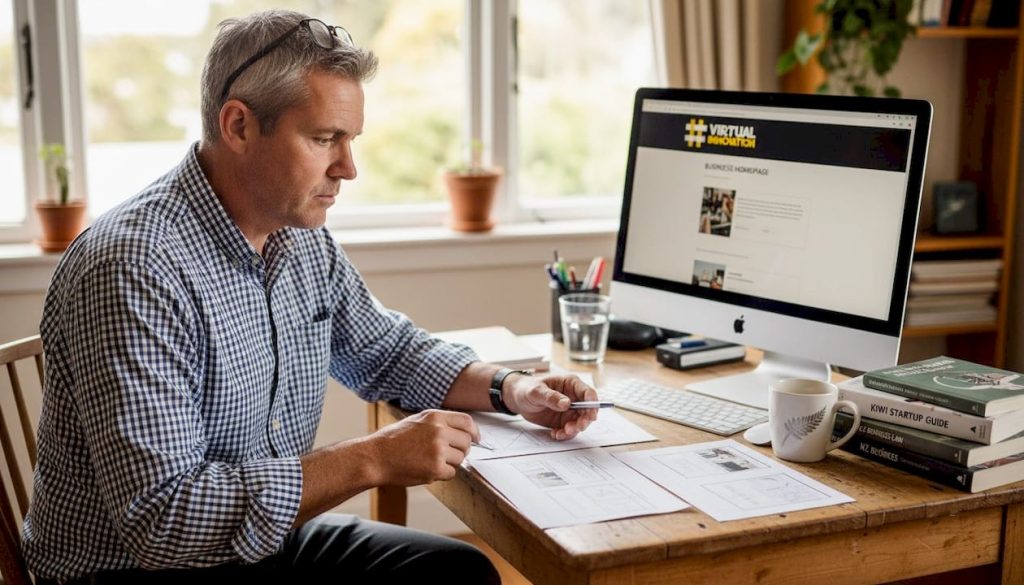
Choosing the right website layout can feel overwhelming for New Zealand business owners, especially when you’re juggling daily operations and trying to grow your online presence. Your layout directly influences how visitors interact with your site, whether they find what they need, and ultimately if they become customers. A well-chosen layout enhances user experience, strengthens your brand identity, and drives conversions. This article explores the main types of website layouts available, explains key evaluation criteria, and provides practical guidance to help you select the perfect design that aligns with your business goals and resonates with Kiwi customers.
Table of Contents
- Key takeaways
- How to evaluate website layouts effectively
- Common types of website layouts explained
- Comparing website layouts: which fits your New Zealand business?
- Choosing the best website layout for your business goals
- Enhance your website with expert design services
- Frequently asked questions
Key Takeaways
| Point | Details |
|---|---|
| Layout drives conversions | A well chosen layout drives conversions by guiding visitors toward key actions. |
| Evaluate with clear criteria | Assess layouts against usability, responsiveness, clarity and alignment with business objectives to guide decisions. |
| Prioritise content hierarchy | Structure your layout so the most important information appears first, using visual weight to guide attention. |
| Test with real customers | Prototypes and mockups should be tested with real customers to gather feedback on navigation and task completion. |
How to evaluate website layouts effectively
Before diving into specific layout types, you need clear criteria to guide your decision. Effective website layouts are judged by usability, responsiveness, clarity, and alignment with business objectives. Start by assessing how easily visitors can navigate your site and find information. A confusing layout frustrates users and sends them straight to competitors.
Mobile responsiveness deserves special attention in New Zealand, where smartphone usage continues climbing. Your layout must adapt seamlessly across devices, from desktop monitors to mobile screens. Test how your content reflows, whether buttons remain clickable, and if images scale properly. A layout that works beautifully on desktop but breaks on mobile alienates a huge portion of your audience.
Content hierarchy guides visitors through your site logically. Your layout should emphasise the most important information first, using visual weight to direct attention. Think about where eyes naturally land and how you can position key messages, calls to action, and navigation elements accordingly. Strong hierarchy reduces cognitive load and helps visitors accomplish their goals faster.
Branding alignment ensures your layout reflects your company personality and values. A creative agency might embrace asymmetry and bold choices, while a law firm needs structure and professionalism. Your layout communicates who you are before visitors read a single word. Visual appeal matters too, but it should never compromise functionality. Beautiful designs that confuse users fail their primary purpose.
Pro tip: Test layout options with real customers before finalising your design. Create mockups or prototypes and gather feedback on navigation ease, visual appeal, and whether they can complete key tasks. User insights reveal issues you might miss and validate your choices with actual data.
Layout choice also affects conversion rates by influencing how smoothly visitors move toward desired actions. Strategic placement of forms, buttons, and persuasive elements within your layout architecture can dramatically improve results. Consider how web design for professional services balances information delivery with conversion optimisation.
Common types of website layouts explained
Understanding the main layout types helps you match structure to your specific business needs. Each option offers distinct advantages and works better for certain scenarios.
Grid layouts organise content into rows and columns, creating a structured, predictable experience. This approach excels at displaying multiple items clearly, making it ideal for portfolios, product catalogues, and service listings. Visitors can scan offerings quickly and compare options side by side. Grid layouts feel organised and professional, though they can appear rigid if not executed thoughtfully.

F-layouts follow natural reading patterns, with content arranged to match how eyes typically scan pages. Important information sits at the top and left side, where attention naturally focuses first. This layout works brilliantly for content-heavy sites, blogs, and news platforms. It maximises readability and ensures key messages get noticed, though it requires careful content prioritisation to avoid burying important details.
Single column layouts simplify everything into one vertical flow, perfect for storytelling and mobile-first experiences. Visitors scroll downward through a clear narrative without distractions or competing elements. This approach creates focus and works exceptionally well for landing pages, announcements, and campaign sites. The trade-off is limited content density, you can’t pack as much information into view simultaneously.
Asymmetrical layouts break traditional rules with dynamic, creative arrangements. Elements sit at unexpected positions, creating visual interest and memorability. This bold choice can differentiate your brand and capture attention, particularly for creative industries. However, asymmetry demands skilled execution. Poor implementation confuses visitors and damages usability.
Pro tip: Consider how your target customers behave online and what feels natural for your industry. Service companies often benefit from structured grids or F-layouts that build trust through organisation, while creative businesses can leverage asymmetry to showcase personality. Match your layout to both brand identity and customer expectations.
| Layout Type | Best For | Key Strength | Consideration |
|---|---|---|---|
| Grid | Product catalogues, portfolios | Organised display of multiple items | Can feel rigid without creative execution |
| F-layout | Content-heavy sites, blogs | Matches natural reading patterns | Requires strong content hierarchy |
| Single column | Landing pages, storytelling | Clear focus and mobile-friendly | Limited information density |
| Asymmetrical | Creative agencies, portfolios | Visual impact and differentiation | Needs expert implementation |
Comparing website layouts: which fits your New Zealand business?
Selecting the right layout requires matching structure to your specific business context and goals. Different layouts excel in different scenarios, and understanding these nuances helps you make informed choices.
The right layout choice depends on business objectives, target audience, and content priorities. A detailed comparison reveals how each layout type performs across critical factors that matter for New Zealand businesses.
| Layout Type | User Engagement | SEO Friendliness | Flexibility | Branding Impact |
|---|---|---|---|---|
| Grid | High for browsing | Excellent with proper markup | Moderate | Professional, organised |
| F-layout | High for reading | Excellent for content sites | High | Traditional, trustworthy |
| Single column | Excellent for focus | Good, especially mobile | Low | Modern, streamlined |
| Asymmetrical | Variable, depends on execution | Moderate | High | Creative, distinctive |
Scenario-based recommendations help translate this comparison into actionable decisions. If you’re targeting mobile-first New Zealand audiences, single column layouts deliver the smoothest experience with minimal adaptation needed across devices. For businesses with extensive product catalogues or service offerings, grid layouts present information clearly and help customers compare options efficiently.
Content volume significantly influences layout choice. Sites with substantial written content benefit from F-layouts that accommodate longer text while maintaining readability. Conversely, businesses with minimal content but strong visual elements might leverage asymmetrical designs to maximise impact from limited material.
Several factors should shape your final decision:
- Budget constraints and available resources for development and maintenance
- Technical skill levels within your team or access to professional support
- Content volume and types you need to present regularly
- Customer demographics and their typical browsing behaviours
- Industry standards and competitor approaches in your sector
- Long-term scalability as your business and content library grows
A/B testing proves invaluable for validating layout choices with real user behaviour. Create variations of key pages using different layout approaches and measure metrics like time on site, bounce rate, and conversion completion. Data removes guesswork and reveals what actually works for your specific audience rather than relying on assumptions.
Small and medium New Zealand businesses should align layout types with customer expectations shaped by local market context. Kiwi customers value straightforward, honest communication and practical functionality. Overly complex or gimmicky layouts may alienate rather than impress. Consider reviewing top design examples 2026 to see how successful businesses balance innovation with usability.
Choosing the best website layout for your business goals
Making your final layout decision requires a structured approach that considers all relevant factors systematically. Follow these steps to reach a confident choice:
- Define your primary business goals for the website, whether lead generation, e-commerce sales, information delivery, or brand building.
- Analyse your target audience demographics, behaviours, device preferences, and expectations based on your industry.
- Assess your content inventory, including volume, types (text, images, video), and how frequently you’ll add new material.
- Create prototypes or mockups of your top layout candidates and test them with real users to gather feedback on usability and appeal.
- Evaluate technical requirements and ensure your team or development partners can implement and maintain your chosen layout effectively.
- Choose professional support from experienced designers and developers who understand New Zealand business contexts and can tailor layouts to your needs.
Strategically selecting a layout aligned with business goals increases customer engagement and boosts conversion rates. Professional designers bring expertise in balancing aesthetic appeal with functional performance. They understand how subtle layout decisions affect user behaviour and can implement best practices you might not know exist.
The value of professional support extends beyond initial design. Experienced developers ensure your layout performs technically, loads quickly, and adapts properly across devices. They can integrate your chosen layout with your branding guidelines, content management system, and business tools seamlessly. This expertise saves time, prevents costly mistakes, and delivers better results than trial-and-error approaches.
Pro tip: Balance creativity with functionality for long-term website success. Innovative layouts can differentiate your brand, but they must serve user needs first. Prioritise clear navigation, fast loading, and intuitive interactions. Creative flourishes should enhance rather than obstruct the user journey. A functional site that delights users beats a stunning design that frustrates them.
Ongoing evaluation remains crucial after launch. Monitor analytics to understand how visitors interact with your layout, where they struggle, and what drives conversions. Be prepared to make refinements based on real performance data. Websites evolve as businesses grow and customer needs shift. Your layout should adapt accordingly rather than remaining static.
Consider the key benefits of WordPress developer expertise when implementing your chosen layout. WordPress offers flexibility for various layout types while maintaining ease of content management, making it an excellent platform for New Zealand businesses seeking professional results without excessive complexity.
Enhance your website with expert design services
Selecting the right layout is just the beginning. Bringing your vision to life requires expertise in design, development, and understanding how New Zealand businesses succeed online.
Virtual Innovation specialises in creating effective website layouts tailored for Kiwi businesses. We understand the unique challenges small and medium enterprises face and design solutions that drive real results. Our team combines technical WordPress expertise with strategic thinking about customer engagement and conversion optimisation.

We know you’re busy running your business and might not have time to become a web design expert. That’s exactly why we’re here. Our friendly, down-to-earth approach means we explain everything clearly, listen to your goals, and create layouts that work for your specific situation. Whether you need a structured grid for your service offerings or a streamlined single column for mobile customers, we’ll guide you through the options and implement a solution that fits.
Ready to boost your online presence with a layout that engages customers and supports business growth? Contact our WordPress designer near me NZ team for a personalised consultation. We’ll discuss your goals, analyse your audience, and recommend the perfect layout approach. Explore our WordPress website design NZ services to see how we help businesses like yours succeed online. Discover the benefits of WordPress developer NZ expertise for creating professional, effective websites.
Frequently asked questions
What is the best website layout for mobile users?
Single column layouts work best for mobile users because they simplify navigation and eliminate horizontal scrolling. Content flows vertically in a clear sequence that matches natural scrolling behaviour. Responsive design remains critical regardless of layout type, ensuring all elements adapt properly across different screen sizes and maintain functionality on smartphones and tablets.
How do website layouts affect customer engagement?
Layouts guide visitors through your site by creating clear navigation paths and visual hierarchies that make information easy to find. When users can quickly locate what they need and understand how to move forward, they stay longer and engage more deeply. Intuitive layouts reduce frustration and cognitive load, keeping visitors focused on your content and calls to action rather than struggling with confusing interfaces.
Should NZ businesses test multiple website layouts?
Absolutely. A/B testing different layouts reveals what resonates with your specific customer base rather than relying on assumptions or generic best practices. Testing allows you to measure real user behaviour, comparing metrics like time on site, bounce rates, and conversion completion across layout variations. This data-driven approach helps you fine-tune usability, ensure branding fit, and maximise conversion effectiveness for your unique audience and business context.
Where can I find expert help to choose the right website layout in New Zealand?
Professional web designers and developers throughout New Zealand specialise in selecting and implementing effective layouts matched to business goals. Look for agencies with experience in your industry and a portfolio demonstrating successful projects for similar businesses. Virtual Innovation offers tailored services helping you create layouts aligned with your objectives, combining WordPress expertise with strategic thinking about customer engagement. Connect with a WordPress designer near me NZ to discuss your specific needs and explore layout options perfect for your business.