
Running a website for your New Zealand small business means juggling security threats, downtime risks, and performance issues that can cost you customers and revenue. Many Kiwi service providers using WordPress or Shopify struggle with knowing exactly what maintenance tasks to prioritise and how often to perform them. This guide delivers a practical, step-by-step checklist tailored specifically for NZ businesses, covering daily, weekly, and monthly tasks that protect your site from attacks, keep it running smoothly, and ensure you’re not leaving critical updates undone.
Table of Contents
- Key takeaways
- Preparing for effective website maintenance
- Step-by-step website maintenance checklist
- Common maintenance challenges and how to avoid them
- Verifying your website’s health and performance
- How Virtual Innovation can support your website maintenance
- FAQ
Key Takeaways
| Point | Details |
|---|---|
| Frequency based maintenance | Break upkeep into daily, weekly and monthly tasks to keep sites secure and running smoothly. |
| Platform differences | WordPress requires manual maintenance while Shopify automates updates and hosting for a simpler workflow. |
| Backups and security | Automate daily backups and implement security checks to safeguard against data loss and attacks. |
| Uptime and performance | Install uptime and performance monitoring to detect issues early and preserve user experience. |
| Time planning and NZ compliance | Plan for realistic time investment and New Zealand compliance requirements to keep the site compliant. |
Preparing for effective website maintenance
Before diving into your maintenance routine, you need the right foundation. Understanding your platform’s specific requirements saves time and prevents costly mistakes down the track.
Your choice between WordPress and Shopify fundamentally shapes your maintenance approach. Shopify automates updates, security, and hosting, making it easier for non-technical users but offering less flexibility for customisation. WordPress gives you complete control but requires manual maintenance and significantly more time investment. If you’re unsure which platform suits your needs, reviewing a comprehensive website maintenance guide for NZ small businesses helps clarify the commitment each requires.
Gather these essentials before starting your maintenance routine:
- Admin login credentials for your CMS and hosting account
- Access to your domain registrar and DNS settings
- Contact details for your hosting provider and any developers
- Documentation of installed plugins, themes, and customisations
- List of third-party integrations like payment gateways or CRM systems
Set up reliable backup systems immediately. Automated daily backups protect against data loss from cyberattacks, human error, or server failures. WordPress users should install a reputable backup plugin that stores copies off-site, whilst Shopify users need to verify their plan includes adequate backup frequency and confirm restoration procedures.
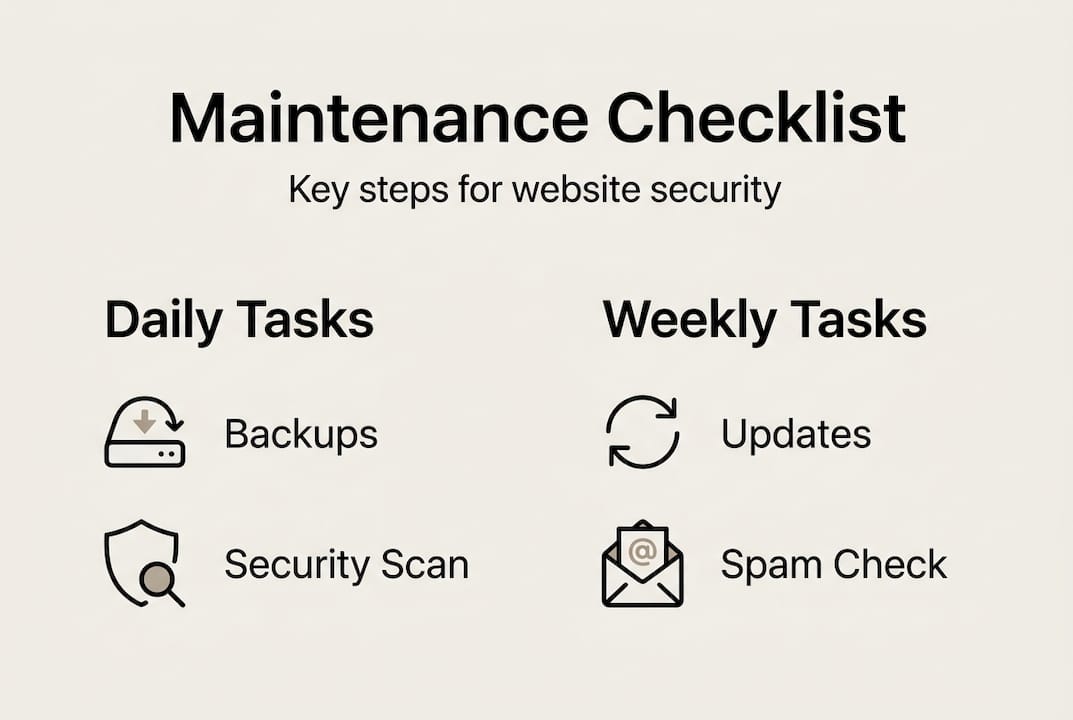
Install uptime monitoring tools that alert you instantly when your site goes down. Free services like UptimeRobot or paid options through your hosting provider catch issues before customers notice them. Pair this with performance monitoring to track page load speeds and identify bottlenecks affecting user experience.
Pro Tip: Create a maintenance calendar with recurring tasks scheduled in your preferred project management tool. Block out specific times each week for website upkeep, treating it as non-negotiable as any other business appointment.
Plan realistically for the time investment required. WordPress maintenance typically demands 2-4 hours weekly for small business sites, whilst Shopify reduces this to 30-60 minutes thanks to automation. If these timeframes exceed your availability, budget for professional support. Understanding why maintaining websites matters for NZ businesses helps justify this investment to stakeholders.
Ensure you’re aware of New Zealand-specific compliance requirements, including privacy laws, accessibility standards, and consumer protection regulations. Your website must display accurate business information, clear pricing, and proper terms of service. Mobile responsiveness isn’t optional, as over 70% of Kiwi consumers browse on smartphones.
Step-by-step website maintenance checklist
Breaking maintenance into daily, weekly, and monthly tasks makes the workload manageable whilst ensuring nothing critical gets overlooked.
Daily tasks for both platforms:
- Verify your site loads correctly by visiting key pages
- Check uptime monitoring alerts for any downtime incidents
- Confirm automated backups completed successfully
- Run security scans to detect malware or suspicious activity
- Monitor website analytics for unusual traffic patterns
Weekly WordPress maintenance:
- Update plugins and themes on a staging site first
- Test all updates thoroughly before applying to live site
- Moderate comments and clear spam submissions
- Test contact forms and ensure enquiries reach your inbox
- Review security logs for failed login attempts
- Check page load speeds and optimise if performance drops
Weekly Shopify maintenance:
- Review automated updates applied by Shopify
- Test checkout process across different devices
- Verify product inventory accuracy and pricing
- Check for broken images or missing product descriptions
- Test contact forms and customer service integrations
Pro Tip: Create a staging environment for WordPress where you test all updates before applying them to your live site. This catches conflicts between plugins or theme compatibility issues without risking downtime for customers.
Monthly maintenance for all sites:
- Conduct comprehensive performance audits using tools like GTmetrix
- Check all internal and external links for broken connections
- Review and update outdated content on key pages
- Analyse user behaviour data to identify improvement opportunities
- Test website functionality across multiple browsers
- Review mobile responsiveness and fix any display issues
- Update legal pages including privacy policy and terms of service
- Audit user accounts and remove inactive or suspicious profiles
The core WordPress maintenance tasks include daily backups and security scans, weekly spam moderation and staged updates, plus monthly audits and optimisations. Meanwhile, Shopify maintenance encompasses daily backups, cross-browser testing, content updates, and legal compliance checks on varying frequencies.
Here’s how the platforms compare for typical small business sites:
| Maintenance aspect | WordPress | Shopify |
|---|---|---|
| Update management | Manual, requires testing | Automated by platform |
| Security responsibility | Site owner’s responsibility | Managed by Shopify |
| Backup frequency | Daily via plugin | Automated, verify frequency |
| Time investment weekly | 2-4 hours | 30-60 minutes |
| Technical skill required | Moderate to high | Low to moderate |
Implementing easy website update processes for NZ service firms streamlines these tasks significantly. Consider documenting your specific maintenance workflow in a checklist format, noting any site-specific quirks or custom integrations that need attention. This documentation proves invaluable when training staff or handing maintenance to professionals.
Don’t forget to review your website features checklist for NZ service businesses quarterly to ensure your site still meets current customer expectations and industry standards.
Common maintenance challenges and how to avoid them
Even with the best intentions, small business owners frequently stumble into preventable maintenance traps that compromise security and performance.
Missing routine updates creates the single biggest vulnerability for websites. Over 60% of small business sites experience annual downtime from neglected maintenance, whilst outdated software opens doors for attackers. The consequences extend beyond security breaches to include poor performance, compatibility issues with modern browsers, and degraded user experience that drives potential customers away.
WordPress sites face over 90,000 attacks every minute, with outdated plugins and themes being the primary entry point for hackers.
These critical areas get forgotten most often:
- CMS core updates that patch known security vulnerabilities
- Plugin and theme updates containing essential security fixes
- Content updates on service pages, pricing, and contact information
- SSL certificate renewals that keep customer data encrypted
- Database optimisation that prevents performance degradation
- Broken link repairs that harm SEO and user experience
Neglecting backups ranks as the most dangerous oversight. Without recent backups, a successful attack or server failure can destroy years of content, customer data, and business records permanently. WordPress users must actively configure and monitor backup solutions, whilst Shopify users should verify their plan includes adequate backup coverage and understand restoration procedures.

Many site owners underestimate the time commitment required, particularly for WordPress. Starting maintenance tasks without blocking dedicated time leads to rushed work, skipped steps, and incomplete testing. This often results in broken functionality going live or security vulnerabilities remaining unpatched.
Pro Tip: Set up automated email reminders for monthly maintenance tasks and use a project management tool to track completion. Schedule these tasks during low-traffic periods to minimise impact if issues arise during updates.
Another common pitfall involves testing updates only on desktop computers whilst ignoring mobile devices. With mobile traffic dominating in New Zealand, responsive design issues can alienate the majority of your audience. Always test across multiple devices and browsers after applying updates or content changes.
Forgetting about pages you’ve previously published leads to outdated information confusing customers or damaging credibility. Service descriptions, team member profiles, pricing pages, and blog posts all need regular review to ensure accuracy.
Some business owners delay maintenance hoping to save money, not realising that prevention costs far less than recovery. Professional support becomes essential when technical demands exceed your skills or available time. Partnering with experts familiar with website maintenance for NZ small businesses provides peace of mind whilst freeing you to focus on core business activities.
Verifying your website’s health and performance
Maintenance tasks mean nothing without confirming they’re actually keeping your site healthy and performing well for visitors.
Uptime monitoring provides the first line of verification. Tools that ping your site every few minutes alert you immediately when downtime occurs, letting you respond before significant customer impact. Track uptime percentage monthly, aiming for 99.9% availability. Anything below 99.5% indicates serious hosting or configuration issues requiring immediate attention.
Page load speed directly impacts both user experience and search engine rankings. Test your site monthly using GTmetrix or Google PageSpeed Insights, recording scores and load times. Shopify sites average 1.3 seconds load time compared to WordPress sites at 2-4 seconds, though optimised WordPress installations can match or beat Shopify performance.
Responsiveness testing ensures your site works flawlessly across devices and browsers:
- Test on actual mobile devices, not just browser emulators
- Check functionality on both iOS and Android platforms
- Verify display and interaction on tablets
- Confirm compatibility with Chrome, Safari, Firefox, and Edge
- Test forms, buttons, and navigation on all device types
Conduct comprehensive performance audits monthly to identify issues before they escalate. Review analytics data for pages with high bounce rates or unusual exit patterns. Check all contact forms by submitting test enquiries and confirming delivery. Scan for broken links using tools like Screaming Frog or Broken Link Checker. Verify images load correctly and display properly across devices.
Pro Tip: Create a simple spreadsheet tracking key metrics monthly including uptime percentage, average load time, mobile usability score, and any security incidents. This historical data reveals trends and helps justify maintenance investments to stakeholders.
Here’s how typical performance and maintenance requirements compare:
| Metric | WordPress (optimised) | Shopify |
|---|---|---|
| Average load time | 2-3 seconds | 1.3 seconds |
| Monthly maintenance hours | 8-16 hours | 2-4 hours |
| Security responsibility | Site owner | Platform managed |
| Uptime guarantee | Hosting dependent | 99.98% platform-wide |
| Annual maintenance cost | $500-2000 (DIY to professional) | $300-800 (mostly subscription) |
Monitor visitor behaviour through analytics to gauge user experience quality. Track metrics like average session duration, pages per visit, and conversion rates. Declining engagement often signals performance issues, confusing navigation, or outdated content that needs refreshing.
Integrating your website with a CRM system for NZ businesses provides deeper insights into how site performance affects customer relationships and sales outcomes. This data helps prioritise maintenance efforts towards areas with greatest business impact.
Regularly revisit why service businesses need websites to ensure your site still delivers the strategic value that justified its creation. Your maintenance efforts should support evolving business goals, not just preserve the status quo.
How Virtual Innovation can support your website maintenance
Keeping your website secure and efficient shouldn’t consume time better spent growing your business. Virtual Innovation specialises in comprehensive website maintenance for Auckland service companies, handling the technical details so you can focus on what you do best.
Our WordPress hosting services include automated daily backups, security monitoring, performance optimisation, and managed updates that keep your site running smoothly without your involvement. We test all updates on staging environments before applying them live, preventing the broken functionality that often results from rushed updates.

For Shopify users, we provide ongoing maintenance and optimisation tailored to New Zealand businesses. Our team monitors your site’s performance, conducts regular audits, and implements improvements that enhance user experience and conversion rates. We understand the unique requirements of Kiwi service providers and ensure your online presence supports your business goals effectively.
Need a fresh start or major improvements? Our WordPress website design services create modern, efficient sites built with maintenance simplicity in mind. We’re down-to-earth Aucklanders who get that you’re experts in your field, not web technology, and we’re here to make your online presence work harder for your business.
FAQ
How often should I perform website backups?
Daily backups are recommended for WordPress sites, especially those with frequent content updates or e-commerce functionality. Shopify automates backups, but you should verify your plan’s backup frequency and understand the restoration process. Always create manual backups immediately before major updates or significant content changes.
What is the biggest security risk for small business websites?
Outdated plugins and CMS cores represent the primary entry point for attackers, as hackers actively scan for known vulnerabilities in old software versions. Regular security scans combined with timely updates mitigate this risk significantly. Weak passwords and lack of two-factor authentication on admin accounts create additional vulnerabilities that are easily preventable.
Can I maintain my WordPress and Shopify sites myself?
Shopify’s automation makes it more accessible for non-technical business owners, requiring mainly content updates and periodic functionality checks. WordPress demands greater technical knowledge and time commitment for updates, security, and troubleshooting. Many small business owners successfully handle basic Shopify maintenance themselves whilst outsourcing WordPress upkeep to professionals when technical demands exceed available time or expertise.
How often should I update website content?
Review and refresh key service pages, pricing information, and team profiles quarterly to maintain accuracy and relevance. Regular blog updates help SEO performance and demonstrate active business engagement to potential customers. Check your previously published pages for outdated information that might confuse visitors or damage credibility.
When should I hire a web maintenance professional?
Consider professional support when maintenance demands consistently exceed your available time or technical capabilities. Hiring experts becomes essential for ensuring compliance with New Zealand regulations, maximising uptime during critical business periods, or when security concerns require specialist knowledge. Finding a WordPress designer near you in NZ provides local expertise familiar with Kiwi business requirements and market expectations.