

Most small business owners focus on how their website looks, pouring budget into colours, fonts, and flashy graphics. Yet many watch visitors leave without converting. The culprit? Confusing user experience with user interface. UX design shapes how users navigate, understand, and trust your site, directly impacting whether they become customers. While UI handles visual appeal, UX orchestrates the entire journey from landing page to checkout. For New Zealand service businesses competing online, mastering UX principles transforms websites from digital brochures into growth engines. This article reveals UX’s strategic role and practical methods to apply it for measurable results.
Table of Contents
- Key takeaways
- What is the role of UX in web design?
- Core UX methodologies for your website
- Why UX matters for your business results
- Designing for all users: handling edge cases and accessibility
- Discover expert UX-driven web design solutions with Virtual Innovation
- FAQ
Key Takeaways
| Point | Details |
|---|---|
| UX aligns needs with goals | UX design aligns user needs with business goals to create websites that convert visitors. |
| Research and iteration essential | Thorough research, prototyping and testing guide improvements and lift conversions. |
| Edge case inclusive design | Design for edge cases builds trust and broadens accessibility. |
| Mobile first for NZ SMEs | Starting simple with a mobile first approach and clear CTAs yields quick wins for small New Zealand businesses. |
What is the role of UX in web design?
User experience design creates smooth, intuitive journeys through websites by understanding what users need, how they think, and where they struggle. UX design focuses on user-centred experiences through research, journey mapping, and continuous testing. This differs fundamentally from user interface design, which handles visual elements like buttons, typography, and colour schemes.
Think of UX as architecture and UI as interior decorating. UX prioritises function and journey strategy while UI focuses on visual appeal and interactivity. Both matter, but UX establishes the foundation. A beautifully designed website with confusing navigation frustrates users and kills conversions. Conversely, clear UX with basic visuals still guides users to their goals.
For New Zealand service businesses, UX investment pays immediate dividends. Your potential clients research solutions online, compare options, and make decisions based on how easily they understand your offerings. When your website aligns with their mental models and anticipates their questions, they trust you faster. This matters especially for professional services where credibility drives purchasing decisions.
Effective UX work encompasses several key elements:
- User research through surveys, interviews, and behavioural analytics to understand actual needs
- Wireframing to map page structures and information hierarchy before visual design
- Prototyping interactive mockups to test navigation flows and user journeys
- Usability testing with real users to identify friction points and confusion
- Iterative refinement based on data and feedback to continuously improve performance
Small businesses often skip these steps, jumping straight to visual design. This backwards approach creates websites that look professional but fail to convert because they don’t address user needs. Understanding UX’s distinct role helps you invest resources where they generate the highest return.
Core UX methodologies for your website
Practical UX improvement starts with systematic research and testing methods. Key methodologies include user research through interviews, surveys, and usability testing, combined with information architecture planning, wireframing, and prototyping. These tools reveal how real users interact with your site rather than how you assume they do.
Quantitative research measures what users do through analytics, heatmaps, and A/B testing. You discover which pages have high bounce rates, where users abandon forms, and which calls to action generate clicks. Qualitative research explores why users behave certain ways through interviews, session recordings, and feedback surveys. Combining both approaches gives complete insight into user behaviour and motivation.

Information architecture organises your content logically based on user mental models. You group related services together, create clear navigation labels, and establish intuitive page hierarchies. Wireframing sketches these structures without visual design distractions, letting you test navigation flows cheaply before committing to development.
Prototyping builds interactive mockups that simulate the final website. Users click through realistic journeys, revealing confusion points and navigation dead ends. You iterate quickly, testing multiple approaches until you find what works. This website design workflow prevents expensive redesigns after launch.
Iterative testing and refinement cycles form the heart of effective UX. You launch with a solid foundation, gather real user data, identify the biggest friction points, and prioritise fixes based on impact. Small improvements compound over time, steadily lifting conversion rates and user satisfaction.
Pro Tip: Start with guerrilla testing by asking friends, family, or customers to complete specific tasks on your site while you watch. Use free tools like Google Analytics for behavioural data and Figma for wireframing. This cost-effective approach delivers immediate insights without agency budgets.
Embedding UX through weekly reviews and prioritising quick impact fixes accelerates improvements. Focus first on navigation clarity, page load speed, and mobile responsiveness. These foundational elements affect every user interaction. Then address specific pain points revealed through testing, like confusing contact forms or unclear service descriptions. Looking at top design examples shows how successful sites structure these elements.
Why UX matters for your business results
Investing in UX delivers measurable financial returns that transform business performance. Average e-commerce conversion rates sit at 2.86%, but sites with strong UX achieve rates of 5-10% or higher. This doubling or quadrupling of conversions means dramatically more customers from the same traffic. Even better, every dollar invested in UX returns approximately $100 in revenue, representing extraordinary ROI.
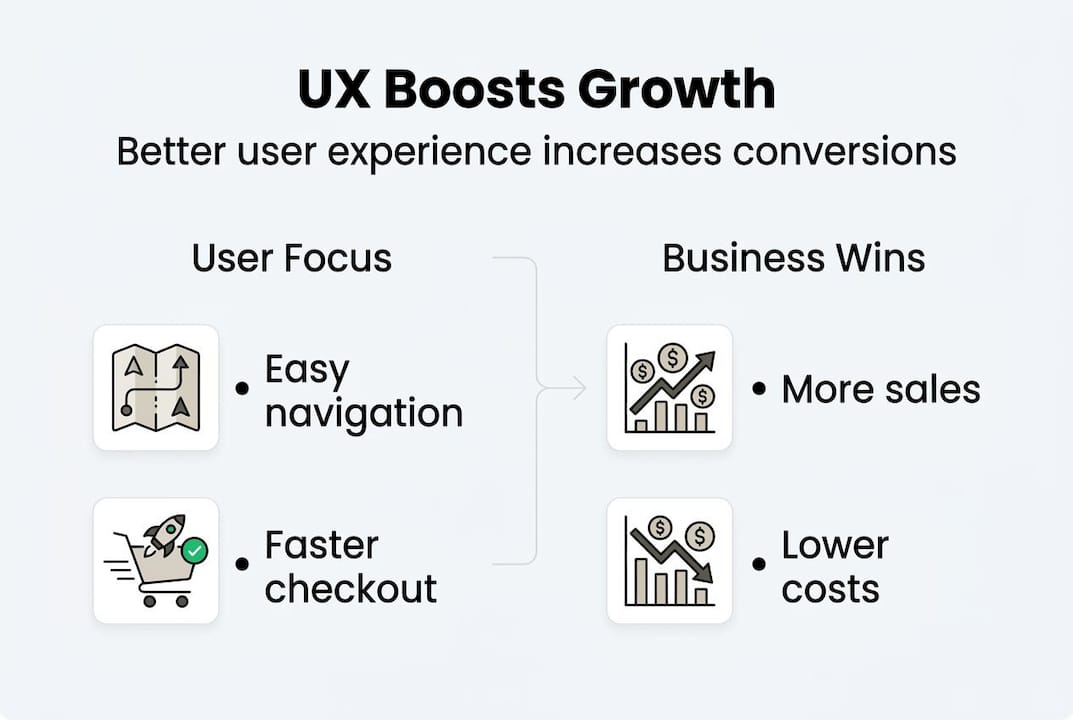
Cart abandonment rates illustrate UX’s impact clearly. Poor checkout experiences cause 70% of online shoppers to abandon purchases. Simplifying forms, clarifying shipping costs upfront, and enabling guest checkout reduces abandonment significantly. These UX improvements directly increase completed transactions without additional marketing spend.
| Metric | Industry average | With good UX | Impact |
|---|---|---|---|
| Conversion rate | 2.86% | 5-10% | 2-4x increase |
| Cart abandonment | 70% | 40-50% | 30% reduction |
| Return on investment | Baseline | $100 per $1 spent | 10,000% ROI |
| Customer satisfaction | 68% | 85-90% | 25% improvement |
These figures translate into tangible business growth for New Zealand service companies. Higher conversion rates mean more enquiries and sales from existing website traffic. Reduced abandonment captures revenue that previously slipped away. Improved satisfaction builds repeat business and referrals.
“Every dollar invested in UX yields $100 in return, making it one of the highest-ROI investments a business can make.”
For small businesses competing against larger companies, superior UX levels the playing field. Your website becomes a competitive advantage when it helps users faster and more effectively than alternatives. This matters especially for company growth strategies where website performance directly impacts revenue. Clear value propositions, intuitive navigation, and friction-free contact processes convert more visitors regardless of company size.
Consider how these improvements affect your bottom line. If your website receives 1,000 visitors monthly with a 2% conversion rate, you generate 20 leads. Doubling conversion to 4% through UX improvements yields 40 leads, potentially doubling revenue without increasing traffic costs. Using explainer videos and other UX-focused content further enhances these results.
Designing for all users: handling edge cases and accessibility
Edge cases represent real users whose situations fall outside typical scenarios. Someone with vision impairment using a screen reader, a potential client on a slow rural internet connection, or a customer with an unusual surname all qualify as edge cases. Designing for edge cases like disabilities and slow networks maintains trust and inclusivity rather than excluding valuable customers.
Ignoring edge cases damages your business in concrete ways. Inaccessible websites exclude people with disabilities, limiting your market and potentially violating accessibility regulations. Forms that reject legitimate names frustrate users and cause abandonment. Sites that fail on slow connections lose rural customers. Each excluded user represents lost revenue and damaged reputation.
Key edge cases to address in your web design:
- Disability accessibility: Ensure screen reader compatibility, keyboard navigation, sufficient colour contrast, and text alternatives for images to serve users with visual, motor, or cognitive impairments.
- Slow network conditions: Optimise images, enable progressive loading, and provide meaningful feedback during delays so users on poor connections can still access your services.
- Unusual input formats: Accept international phone numbers, names with hyphens or apostrophes, and varied address formats to avoid rejecting legitimate customer data.
- Error recovery: Design clear error messages, preserve user input when validation fails, and provide obvious paths to fix problems rather than forcing users to start over.
- Empty and loading states: Show helpful content when data hasn’t loaded yet and guide users productively when lists or searches return no results.
Designing for edge cases expands your customer base while building trust with all users. When someone sees your site works smoothly despite their unusual situation, they perceive your business as professional and considerate. This reputation advantage matters for service businesses where trust drives purchasing decisions.
Pro Tip: Begin your design process by sketching error states, empty states, and recovery options before designing happy path scenarios. This forces you to consider edge cases upfront rather than treating them as afterthoughts. Test your site with accessibility tools, throttled connections, and unusual inputs to identify exclusions before users encounter them.
Inclusive design doesn’t just serve edge cases. Features like clear error messages, fast loading, and flexible input validation improve experiences for all users. Everyone benefits when websites anticipate problems and provide smooth recovery paths. This universal improvement through edge case focus represents efficient UX investment.
Discover expert UX-driven web design solutions with Virtual Innovation
Transforming your website’s user experience requires both strategic thinking and technical expertise. Virtual Innovation specialises in WordPress website design and Shopify websites optimised for exceptional user experiences that drive measurable business growth. We understand New Zealand service businesses face unique challenges competing online, and we build solutions that convert visitors into customers.

Our UX-focused approach starts with understanding your customers’ needs and your business goals, then designs websites that serve both. We conduct user research, create intuitive information architectures, and test rigorously to ensure your site guides visitors smoothly toward conversion. Whether you need a complete redesign or targeted improvements to an existing site, we deliver results that show in your bottom line.
As a local Auckland agency, we speak your language and understand the Kiwi market. We know service businesses don’t have time to become web design experts, so we explain everything clearly and handle the technical complexity. If you’re ready to transform your website into a growth engine through strategic UX design, explore our WordPress designer services or contact us to discuss your project. Let’s build something that works brilliantly for your users and your business.
FAQ
What is the main difference between UX and UI in web design?
UX design focuses on user needs, journey mapping, and functional effectiveness, ensuring your website solves problems and guides users toward goals. UI design handles visual presentation and interactive elements like buttons, typography, and colour schemes. UX establishes what users can do and how easily they accomplish tasks, while UI determines how appealing and polished those interactions look. Both disciplines work together, but UX provides the strategic foundation that UI builds upon visually.
How can small NZ businesses start improving their website’s UX effectively?
Begin with free tools like Google Analytics to identify high-bounce pages and user flow problems, then use Figma or similar platforms for wireframing improvements. Prioritise mobile-first design since most users browse on phones, ensure clear calls to action appear prominently, and optimise loading speed through image compression and efficient code. Run guerrilla usability testing by watching real people attempt specific tasks on your site, noting where they hesitate or struggle. These low-cost methods deliver immediate insights and quick wins.
Why is designing for edge cases important in UX?
Edge cases represent real users with disabilities, slow internet connections, unusual names, or other atypical situations that standard designs often exclude. Ignoring these scenarios loses customers, damages your reputation, and potentially violates accessibility requirements. Designing for edge cases ensures your website serves everyone, expanding your addressable market while building trust through inclusive, considerate experiences. Features that help edge case users, like clear error messages and flexible input validation, also improve experiences for typical users.
How does good UX impact my business’s online conversions?
Strong UX can double to quadruple conversion rates compared to industry averages, transforming the same website traffic into significantly more leads and sales. It reduces cart abandonment by removing friction from checkout processes and keeps visitors engaged through intuitive navigation and clear value communication. Research shows every dollar invested in UX returns approximately $100 in revenue, making it one of the highest-ROI improvements available. For small businesses, these conversion improvements directly increase revenue without requiring additional marketing spend.