

Picture this: a potential client finds your plumbing, cleaning, or landscaping business on Google. They tap your website link on their phone. The page loads slowly, the text is tiny, and the booking form is nearly impossible to fill in. They give up and call your competitor instead. That scenario plays out thousands of times every day across New Zealand. 61% of NZ web traffic now comes from mobile devices, which means your website’s mobile experience is your first impression. Get it right and you’ll win more enquiries. Get it wrong and you’re handing clients to someone else.
Table of Contents
- Why mobile optimisation matters for New Zealand service businesses
- Planning your mobile optimisation: what you’ll need
- Step-by-step: core tasks for mobile website optimisation
- Testing, refining and common mobile mistakes
- What most guides miss about mobile optimisation for Kiwi service businesses
- Get expert help to optimise your mobile website
- Frequently asked questions
Key Takeaways
| Point | Details |
|---|---|
| Mobile-first is essential | Design for mobile users first to boost rankings and win more clients. |
| Test like a customer | Check your site on real devices and networks for the best user experience. |
| Prioritise calls and forms | Ensure booking and contact actions are simple and prominent on every page. |
| Review regularly | Mobile technology changes quickly—keep testing and improving your site. |
Why mobile optimisation matters for New Zealand service businesses
Mobile isn’t a secondary channel anymore. For most Kiwi service businesses, it’s the primary one. Your clients are searching for a tradie, a consultant, or a cleaner while they’re on the couch, in the car, or waiting in a queue. They’re on their phones, and they expect your site to work perfectly right now.
Poor mobile experiences don’t just frustrate visitors. They cost you real money. A slow-loading page, a contact form that’s hard to tap, or a menu that covers the whole screen can send a warm lead straight to a competitor. These aren’t minor annoyances. They’re conversion killers.
There’s also a significant SEO impact to consider. Mobile-first indexing means mobile content gaps hurt rankings in Google search results. If your desktop site has content that doesn’t appear on mobile, Google may rank you lower. That means fewer people even find you in the first place.
Understanding why your mobile site matters goes beyond rankings. A well-optimised mobile site directly increases local conversions. It makes it easier for people to call you, book a job, or send an enquiry. That’s the outcome you’re after.
Here are the most common mobile failings we see on NZ service business websites:
- Slow page load times caused by uncompressed images or too many plugins
- Tiny buttons and links that are impossible to tap accurately on a touchscreen
- Clunky booking or contact forms with too many fields and no mobile keyboard optimisation
- Text that’s too small to read without zooming in
- Navigation menus that don’t collapse properly on smaller screens
Knowing why service businesses need websites that perform on mobile is the first step. The next is doing something about it. You can also improve mobile site experience by focusing on speed, usability, and clear calls to action. Now that you see the urgency, let’s clarify what you’ll need to get started.
Planning your mobile optimisation: what you’ll need
Before you start making changes, take stock of what you have and what you need. A bit of planning upfront saves a lot of frustration later.
The foundation of any good mobile site is responsive web design, which Google recommends as the primary methodology for building mobile-friendly websites. Responsive design means your site automatically adjusts its layout to fit any screen size, from a small smartphone to a large desktop monitor.

Here’s what you’ll need before you begin:
| Requirement | Why it matters | Where to get it |
|---|---|---|
| Access to your CMS (WordPress or Shopify) | To make layout and content changes | Your hosting login or developer |
| A range of real devices to test on | Emulators miss real-world issues | Your own phone, borrow others |
| Google’s Mobile-Friendly Test tool | Quick check of current status | search.google.com/test/mobile-friendly |
| Responsive testing website (e.g. BrowserStack) | Check multiple screen sizes | BrowserStack.com |
| Your site’s current analytics | Understand where mobile users drop off | Google Analytics or similar |
Content parity is another planning essential. Everything on your desktop site, your services list, your pricing, your contact details, needs to be present and readable on mobile too. It’s easy to accidentally hide content in a mobile layout without realising it.
Key technical elements to check during planning include:
- Viewport meta tag set correctly in your site’s HTML header
- Flexible grid layouts that reflow content rather than squishing it
- Font sizes of at least 16px for body text
- Touch targets (buttons and links) at least 44×44 pixels in size
- Media queries that adjust layout at sensible breakpoints
If you’re working with a professional services web design team, share this checklist with them. It sets clear expectations from the start. You can also browse service website design examples to get a feel for what good looks like.
Pro Tip: Don’t just test on Wi-Fi. Test your site on a real NZ mobile network, including 4G in a suburban area or 3G in a rural one. If it loads well there, it’ll load well for your actual clients.
With your prerequisites sorted, you’re ready to put practical steps into action.
Step-by-step: core tasks for mobile website optimisation
Now let’s get into the actual work. These steps are ordered for a reason. Follow them in sequence and you’ll build a solid mobile experience from the ground up.
-
Add the viewport meta tag. This single line of HTML tells browsers how to scale your page. Without it, mobile browsers guess, and they usually get it wrong. Add "
to your site's`. -
Switch to a mobile-first design approach. The mobile-first approach means designing for smallest screens first using min-width media queries, then scaling up for larger screens. This forces you to prioritise the content that actually matters.
-
Optimise images. Compress all images before uploading. Use modern formats like WebP. Set images to scale with their container using
max-width: 100%in your CSS. -
Simplify your navigation. On mobile, a hamburger menu (the three-line icon) is standard. Make sure yours opens cleanly, is easy to close, and links to your most important pages first.
-
Fix your forms. Streamline mobile forms and add click-to-call for service businesses to directly boost conversions. Keep forms short. Use the right input types so mobile keyboards show numbers for phone fields and email keyboards for email fields.
-
Add click-to-call. A simple
<a href="tel:+64XXXXXXXXX">Call us now</a>link turns your phone number into a one-tap action. For service businesses, this is one of the highest-converting elements you can add. -
Add local schema markup. This structured data helps Google understand your business location and services, improving your visibility in local search results.
Here’s a quick comparison to show why mobile-first beats the old desktop-down approach:
| Factor | Mobile-first design | Desktop-down design |
|---|---|---|
| Load speed on phones | Faster, leaner code | Often slower, more bloated |
| Conversion rate | Higher, built for thumb use | Lower, adapted as afterthought |
| Google ranking | Favoured by mobile-first index | Can suffer content gaps |
| User experience | Intuitive and clean | Often cramped or awkward |
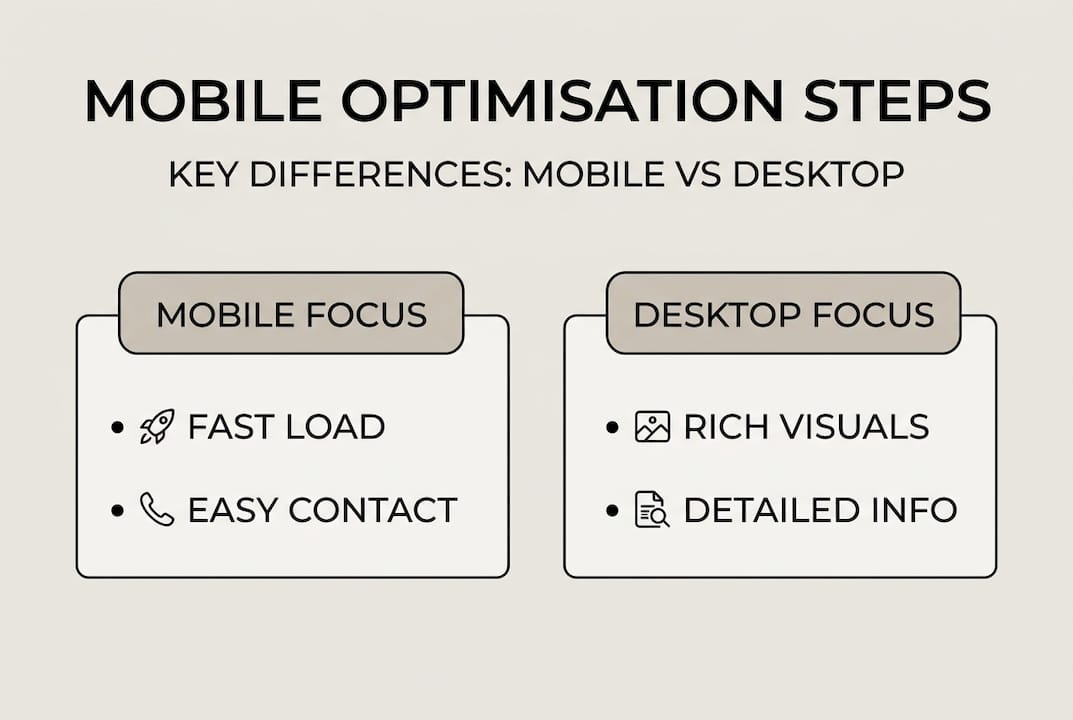
For more practical ideas, explore these website growth tips or consider whether a website redesign for growth might be the right move. You can also check out this complete responsive design guide for deeper technical detail.
Pro Tip: Use CSS clamp() for typography so your font sizes scale fluidly between screen sizes without needing multiple breakpoints. It’s a small change with a big impact on readability.
After you’ve followed the core steps, it’s crucial to check the results carefully.
Testing, refining and common mobile mistakes
Building a mobile-friendly site is only half the job. Testing it properly is where most businesses fall short.
Start with real devices. Open your site on your own phone, then borrow a friend’s Android if you use an iPhone, or vice versa. iOS and Android render sites slightly differently, and what looks perfect on one can break on the other.
Also check your site on different screen sizes. A Samsung Galaxy and an iPhone SE are both smartphones but have very different screen dimensions. Google’s Mobile-Friendly Test gives you a quick pass or fail, but it doesn’t replace hands-on testing.
“Test on real NZ mobile networks and devices. If it fails here, it fails with real clients.”
Here are the most common mobile mistakes to look for and fix:
- Broken layouts where content overlaps or falls off screen on smaller devices
- Hamburger menus that don’t work properly, either failing to open or covering content when they do
- Slow load times above three seconds, which dramatically increase bounce rates
- Unclickable phone numbers that aren’t linked with a
tel:attribute - Forms with tiny input fields that are frustrating to complete on a touchscreen
- Pop-ups that block content on mobile, which Google actively penalises
Modern devices add new challenges too. Navigation collapse, foldable devices, and dynamic islands all create edge cases that need real-device testing to catch. A layout that looks fine on a standard phone can look completely broken on a foldable screen.
Iterative improvement is the key mindset here. You don’t need to fix everything at once. Tackle the biggest issues first, test again, then refine. Check your easy website updates guide for quick wins, and review the essential website features that NZ service businesses should have in place. For a deeper dive into Google’s standards, the mobile-friendly sites guide is worth bookmarking.
Understanding what to do is one thing. Next, let’s explore real lessons from helping NZ service companies make their sites mobile-ready.
What most guides miss about mobile optimisation for Kiwi service businesses
Here’s something we’ve learned from working with service businesses across New Zealand: copying what big brands do on mobile usually backfires.
Large companies have design teams, fast servers, and audiences who already trust them. A flashy animated homepage might work for a national brand. For a local plumber or cleaning company, it just slows the page down and confuses people who only want to book a job.
The businesses that see the best results from mobile optimisation are the ones that keep it simple. A clear headline, a fast-loading page, a visible phone number, and a short form. That’s it. Everything else is decoration.
We’ve also seen a real difference when businesses test on lower-cost handsets and rural networks. Your clients aren’t all on the latest iPhone with fibre broadband. Some are on older Android phones in Whangarei or Queenstown with patchy coverage. If your site works for them, it works for everyone.
The real opportunity is in the gap between first tap and booking. Reduce friction at every step and you’ll win more clients. That’s what mobile site opportunity really looks like in practice.
Get expert help to optimise your mobile website
If reading through these steps has you thinking “I’d rather someone just sorted this for me,” we completely understand. That’s exactly what we do.

At Virtual Innovation, we specialise in web design in Auckland for Kiwi service businesses. Whether you’re on WordPress or need a Shopify website, we build sites that are fast, mobile-ready, and designed to convert visitors into paying clients. We offer practical, no-jargon advice and can start with a website audit to show you exactly where your mobile experience is letting you down. Get in touch and let’s make your site work as hard as you do.
Frequently asked questions
How do I test if my website is truly mobile-friendly?
Use your phone on real NZ networks and check Google’s Mobile-Friendly Test for any issues. Testing real devices, not just browser developer tools, is the most reliable approach.
What is the difference between responsive and mobile-first design?
Responsive design adapts the layout for all devices, while mobile-first design starts from small screens upwards, resulting in a leaner and more focused mobile experience.
Why do my rankings drop after launching a new design?
Content or functionality missing on mobile can hurt your visibility because mobile-first indexing means mobile content gaps hurt rankings in Google’s search results.
Which one thing has the biggest impact on mobile conversions for service businesses?
Making your contact and booking options easily tappable has the most direct effect. Streamlining mobile forms and click-to-call removes the biggest barrier between a visitor and a paying client.
Recommended
- 3 Easy Website Upgrades to Boost Your Leads Today
- Why website redesign is needed for NZ small business growth
- Website Design For Company Growth – 10 Must Know Tips
- Mobile First, Or Missed Opportunity? Why Your Mobile Site Matters More Than Ever
- Blog – Programări Online, Booking & Sfaturi pentru Afaceri | Bookd