

Your website is often the first impression potential customers have of your business, yet many small businesses in New Zealand operate with outdated sites that fail to convert visitors into clients. An ineffective website can undermine your brand, frustrate users, and cost you valuable opportunities. A strategic website redesign addresses these challenges by refreshing your branding, improving usability, and boosting conversion rates. This guide walks you through a clear, manageable redesign process tailored for small business owners, helping you transform your online presence and achieve measurable growth without the overwhelm.
Table of Contents
- Understanding The Website Redesign Process
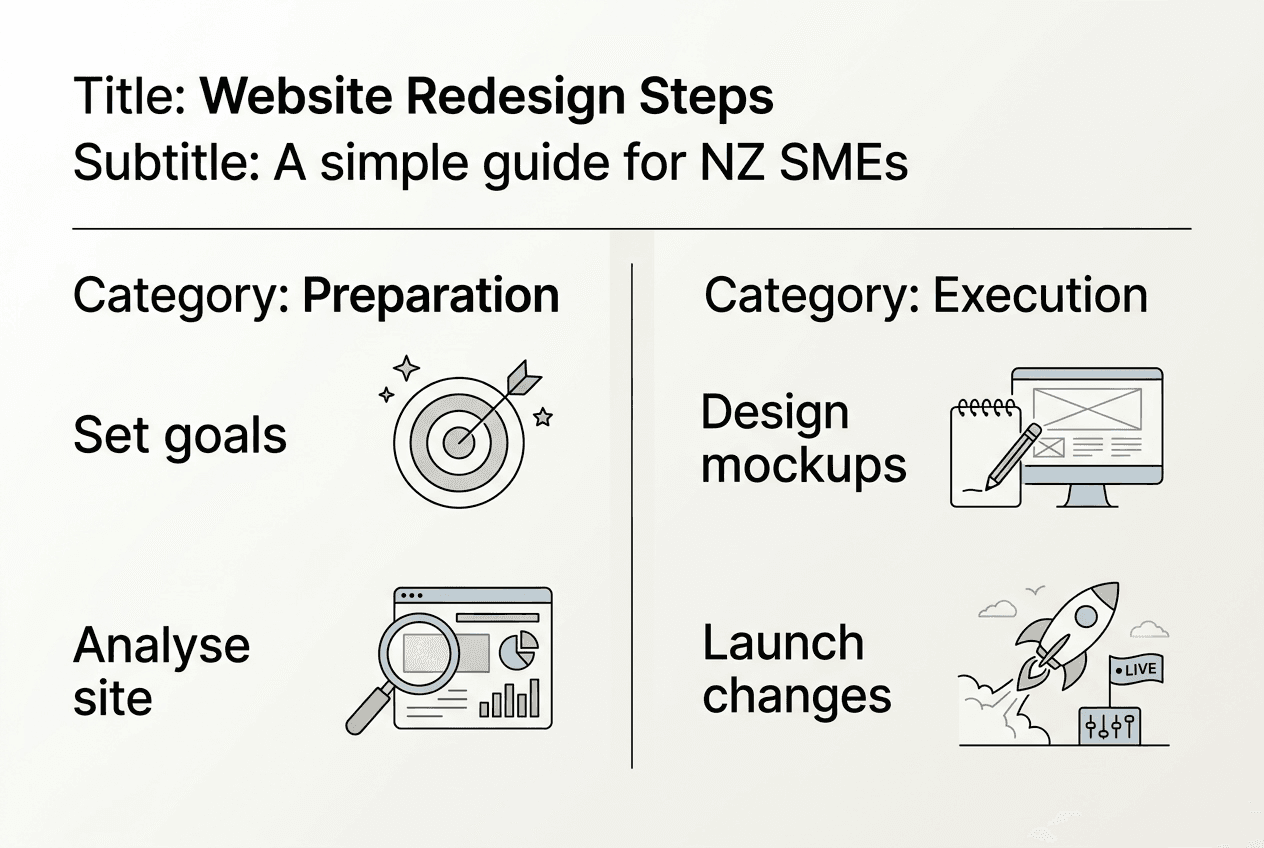
- Preparing For Your Website Redesign: Setting Goals And Analysing Needs
- Executing The Website Redesign: A Step By Step Approach
- Verifying Success And Maintaining Your Redesigned Website
- Discover Professional Website Redesign Services Tailored For New Zealand Businesses
- Frequently Asked Questions
Key takeaways
| Point | Details |
|---|---|
| Strategic update | Website redesign improves user experience, branding, and performance for business growth. |
| Goals first | Clear objectives and audience understanding are essential before starting any redesign project. |
| Structured process | Following step by step workflows helps control scope, budget, and timeline effectively. |
| Right partner | Choosing web designers suited to small business needs prevents costly mistakes and delays. |
| Ongoing monitoring | Regular reviews ensure your website continues delivering value as your business evolves. |
Understanding the website redesign process
A website redesign refers to changing functionality and visual elements of your existing site, ranging from complete overhauls to targeted layout updates. Unlike a simple refresh that tweaks colours or fonts, a redesign often involves structural changes to your site’s architecture, navigation, and underlying code. This distinction matters because redesign scale determines whether site structure changes, impacting project complexity and investment.
Small businesses in New Zealand benefit from redesigns when branding evolves, mobile usability suffers, technology becomes outdated, or conversion rates stagnate. A redesign alters your website’s internal structure and codebase, essentially creating a nearly new digital product that better serves current business goals. Even modest redesigns can dramatically improve how visitors interact with your services and perceive your professionalism.
Signs your site needs redesign rather than a simple design refresh include poor mobile responsiveness, outdated technology platforms, fundamental navigation problems, or misalignment with current brand identity. A refresh works when visual elements need updating but core functionality remains sound. Redesign becomes necessary when structural issues prevent your site from supporting business growth.
Pro Tip: A well executed redesign keeps what works, fixes what doesn’t, and prepares your site for future growth. Document current site strengths before starting to preserve valuable elements during the transition.
Key indicators requiring redesign:
- Bounce rates exceeding 70% suggest fundamental usability problems
- Mobile traffic growing but mobile experience remaining poor
- Conversion rates declining despite steady traffic levels
- Technology stack preventing integration with modern business tools
- Brand identity evolved but website still reflects outdated positioning
Expert insight: “The best redesigns balance innovation with familiarity, giving users improved experiences without alienating existing customers who know your current site.”
Preparing for your website redesign: setting goals and analysing needs
Successful redesigns begin with clear goals and audience understanding rather than jumping straight to design mockups. Define measurable objectives aligned with overall business strategy, whether increasing enquiries by 30%, reducing bounce rates, or improving mobile conversions. Vague goals like “make it look better” lead to scope creep and disappointing results.
Identify your target audience’s characteristics, needs, and preferences through existing customer data, surveys, and analytics. Understanding who visits your site, what they seek, and how they navigate informs every design decision. A website designed for company growth starts with deep audience insight, not aesthetic preferences.
Evaluate your existing website’s performance using analytics data covering traffic sources, popular pages, conversion funnels, and user behaviour patterns. Identify what works well and what frustrates visitors. Analyse competitors’ websites for inspiration and benchmarking, noting features that enhance user experience and areas where you can differentiate.
| Assessment Area | Key Metrics | Action Items |
|---|---|---|
| Traffic patterns | Sources, volume, trends | Identify top channels to optimise |
| User behaviour | Time on site, bounce rate, flow | Fix navigation bottlenecks |
| Conversions | Form submissions, purchases | Streamline conversion paths |
| Technical performance | Load speed, mobile usability | Address technical debt |
| Content effectiveness | Engagement, shares | Update underperforming content |
Prepare a project brief summarising goals, target audience, scope boundaries, and success metrics. This document becomes your north star throughout the redesign, preventing feature creep and keeping stakeholders aligned. A comprehensive website redesign workflow starts with thorough planning, not design exploration.
Pro Tip: Engage key stakeholders early and document expectations explicitly to avoid scope creep. Regular check ins during planning prevent misalignment and budget overruns later.
Critical preparation steps:
- Define three to five specific, measurable goals with target metrics
- Create detailed user personas representing your ideal customers
- Audit current site performance across all devices and browsers
- Research competitor sites and industry best practices
- Establish realistic budget and timeline parameters
- Identify internal resources and external expertise needed
Executing the website redesign: a step by step approach
Breaking redesign into clear, manageable steps addressing design, content, SEO, and usability ensures nothing falls through cracks. Start with wireframing and prototyping to map site structure and user flows before investing in visual design. Wireframes focus on functionality and content hierarchy, allowing quick iterations without design constraints.

Develop design mockups reflecting your brand identity while prioritising user experience over aesthetic trends. Modern web design balances visual appeal with accessibility, load speed, and conversion optimisation. Create or refresh content that speaks directly to your audience’s needs, incorporating relevant keywords naturally for search visibility.
Optimise for search engines throughout redesign, not as an afterthought. Preserve valuable existing rankings by maintaining URL structures where possible, implementing proper redirects, and ensuring technical SEO fundamentals like meta tags, schema markup, and mobile friendliness. Test thoroughly across devices, browsers, and user scenarios before launch, gathering feedback from real users to catch issues early.
Lock scope, timelines, and billing early to prevent redesign spiralling out of control. Small businesses often face budget blowouts when project parameters remain fluid. Clear agreements protect both you and your design partner, ensuring everyone understands deliverables and constraints.
Sequential execution steps:
- Create wireframes mapping site structure and navigation
- Develop design mockups for key page templates
- Write or refresh content aligned with user needs and SEO
- Build functional prototypes for testing and feedback
- Implement design across all pages and templates
- Conduct thorough testing across devices and scenarios
- Train team members on content management systems
- Plan and execute launch with proper redirects and monitoring
Pro Tip: Choose web design partners suited to your business size and needs to avoid overruns and delays. Agencies serving enterprise clients often bring enterprise complexity and pricing to small business projects.
Common pitfalls to avoid:
- Vague scope allowing endless revisions and feature additions
- Choosing designers mismatched to small business project scale
- Ignoring SEO until after design completion
- Skipping user testing before launch
- Underestimating content creation time and effort
- Failing to plan for ongoing maintenance and updates
Understanding the difference between a website redesign and refresh helps scope projects appropriately. Following a proven redesign workflow tailored to Australian and New Zealand businesses keeps projects on track and within budget.
Verifying success and maintaining your redesigned website
Post launch monitoring determines whether your redesign achieved intended goals and identifies improvement opportunities. Track key metrics including traffic volume, traffic sources, bounce rates, conversion rates, and page load speeds. Compare these against pre redesign baselines to measure impact objectively rather than relying on subjective opinions about visual improvements.
Collect user feedback through surveys, analytics heatmaps showing where visitors click and scroll, and direct client input during interactions. Real user behaviour often surprises, revealing navigation confusion or content gaps invisible during design phase. Continuously monitor performance and gather feedback to make iterative improvements ensuring long term success.
| Measurement Tool | Primary Use | Key Benefits |
|---|---|---|
| Google Analytics | Traffic and conversion tracking | Comprehensive data on user behaviour |
| Heatmap software | Visual engagement patterns | Identifies confusing navigation elements |
| User surveys | Direct feedback collection | Captures subjective experience insights |
| Speed testing tools | Performance monitoring | Ensures fast load times across devices |
| Search console | SEO health monitoring | Tracks rankings and technical issues |
Ongoing maintenance tasks preserve your investment and adapt to evolving needs. Regular content updates keep information current and relevant. Security patches and plugin updates protect against vulnerabilities. SEO adjustments respond to algorithm changes and competitive shifts. Performance optimisation addresses slowdowns as content grows.
Iterative improvements let you adapt as business goals and technology evolve without requiring another full redesign. Small, regular enhancements often deliver better return on investment than infrequent major overhauls. Effective website maintenance and updates maximise your redesign investment over time.
Pro Tip: Schedule quarterly website reviews examining analytics, user feedback, and business alignment. Keep documentation of changes and decisions to maintain consistency as your team evolves.
Essential maintenance activities:
- Update content monthly to maintain relevance and search rankings
- Apply security patches and plugin updates within 48 hours of release
- Review analytics monthly identifying trends and opportunities
- Test site functionality quarterly across devices and browsers
- Refresh visual elements annually to prevent dated appearance
- Optimise performance continuously as content and traffic grow
Discover professional website redesign services tailored for New Zealand businesses
Transforming your website from underperforming to exceptional requires expertise, strategic thinking, and execution excellence. Virtual Innovation specialises in WordPress website design and Shopify solutions tailored specifically for New Zealand small businesses and service companies. We understand the unique challenges you face and create customised redesign strategies aligned with your growth goals.

Our expert WordPress developers guide you through every redesign phase, from goal setting and planning through launch and ongoing optimisation. We help you avoid common pitfalls that derail projects and waste budgets. Our approach focuses on website design for company growth, ensuring your redesigned site actively supports business objectives rather than simply looking attractive. Partner with a team that gets small business needs and delivers measurable results.
Frequently asked questions
How long does the website redesign process usually take?
Most redesigns take between 8 to 16 weeks depending on project scope, site complexity, and stakeholder availability for feedback and approvals. Simple redesigns updating design and content on existing platforms complete faster, while complex builds requiring custom functionality or extensive content creation take longer. Clear planning and consistent communication help keep projects on schedule and prevent delays.
How can I tell if my website needs a full redesign or just a refresh?
If your site requires major structural changes, functional improvements, or complete brand realignment, a redesign is necessary. A refresh suffices when only visual elements like colours, fonts, or images need updating while core functionality remains sound. Consider redesign when facing poor mobile performance, outdated technology preventing integrations, fundamental navigation problems, or conversion rates significantly below industry benchmarks.
What mistakes should I avoid during my website redesign?
Common redesign mistakes include vague scope, poor designer match, lack of clear goals, and loose timelines that allow projects to spiral beyond budget and schedule. Not defining your target audience upfront leads to design decisions that miss the mark. Failing to lock scope, schedule, and budget early creates confusion and cost overruns. Choosing web designers suited to enterprise projects rather than small business needs brings unnecessary complexity and expense. Neglecting SEO and user experience during redesign wastes the opportunity to improve search visibility and conversions.
How do I maintain my website after the redesign is complete?
Regularly update content, plugins, and security features to keep your site performing optimally and protected from vulnerabilities. Monitor site performance and user feedback monthly to identify improvement opportunities before they become problems. Schedule periodic reviews aligning website updates with business changes and market shifts. Investing in ongoing website maintenance and updates preserves your redesign investment and ensures your site continues supporting business growth rather than becoming outdated again.