

Most business owners think colour is about making a website look nice. It isn’t. Colour is one of the most powerful tools you have for shaping how visitors feel about your business the moment they land on your page. Get it wrong and people leave before they’ve read a single word. Get it right and your site builds trust, guides visitors to take action, and sets you apart from every competitor in your space. This guide breaks down the science, the strategy, and the practical steps you need to use colour effectively on your service business website.
Table of Contents
- Why colour matters in modern web design
- The science behind colour: how we see and feel online
- Choosing your palette: best practices for service business websites
- Impact of colour on user experience and conversions
- Testing and optimising colour on your website
- Get expert help bringing colour to your web design
- Frequently asked questions
Key Takeaways
| Point | Details |
|---|---|
| Colour drives first impressions | Visitors size up your brand and trustworthiness in seconds based on your site’s colour choices. |
| Smart palettes support conversions | The right colours draw attention to actions and help users navigate confidently. |
| Testing maximises impact | Simple colour experiments can reveal what truly works to grow your business online. |
| Consistency builds recognition | Consistent colour use boosts brand recall and professionalism among New Zealand audiences. |
Why colour matters in modern web design
Colour isn’t decoration. It’s communication. The moment someone lands on your website, their brain is already making judgements about whether you’re trustworthy, professional, and worth their time. Users form judgements about a website in under 50 milliseconds, and colour is doing most of the heavy lifting in that split second.
For service websites in 2026, this matters enormously. You’re not selling a product people can touch or try before they buy. You’re selling trust. Your website is often the first real impression a potential client gets of your business, and colour is the first thing they notice.
Here’s what colour does for your website:
- Signals brand character instantly, whether that’s calm and professional or bold and energetic
- Builds or breaks trust depending on how well it matches visitor expectations for your industry
- Guides attention toward the actions you want visitors to take
- Creates consistency that makes your brand memorable across every touchpoint
Misused colour can make even a well-written website feel cheap or confusing. A trades business using pastel pinks, or a health provider using aggressive reds, sends mixed signals that visitors pick up on immediately, even if they can’t explain why. Effective web design uses colour with intention, not guesswork.
“Colour is the first thing people notice and the last thing they forget. For service businesses, it’s the silent salesperson working 24 hours a day.”
New Zealand’s service sector is competitive. Whether you’re a plumber in Palmerston North or an accountant in Auckland, your online presence needs to work hard. Colour is one of the simplest levers you can pull to make a real difference.
The science behind colour: how we see and feel online
Colour psychology isn’t a soft concept. It’s backed by solid research. Different colours evoke different emotions and actions from visitors, and understanding these associations gives you a genuine edge in how you design your site.

Your brain processes colour before it processes words. That’s not a metaphor. It’s neuroscience. When someone visits your website, the visual cortex is firing before the language centres even get involved. This means your colour choices are making an argument for your business before a single word is read.
Here’s a practical overview of common colour associations and how they apply to service businesses:
| Colour | Emotional association | Best fit for service sector |
|---|---|---|
| Blue | Trust, reliability, calm | Accountants, legal, IT, finance |
| Green | Health, growth, balance | Health providers, eco services, wellness |
| Red | Urgency, energy, passion | Trades, emergency services, food |
| Orange | Friendly, affordable, approachable | Retail services, tradespeople, childcare |
| Purple | Premium, creative, wisdom | Beauty, consulting, luxury services |
| Grey/White | Clean, professional, neutral | Any industry as a supporting colour |
| Yellow | Optimism, warmth, caution | Hospitality, creative, retail |
For New Zealand audiences, cultural context matters too. Māori design traditions place strong significance on certain colours, particularly red, black, and white. If your brand serves or connects with Māori communities, incorporating these thoughtfully shows respect and cultural awareness. It’s worth exploring colour psychology research to understand how these associations play out across different audiences.
Building brand trust in web design starts with choosing colours that match what your audience already expects from businesses like yours. A law firm that uses bright orange might feel approachable, but it might also feel unprofessional to a client looking for serious legal help. Context is everything.
A good brand colour guide can help you understand how to build a palette that feels cohesive and intentional rather than random.
Choosing your palette: best practices for service business websites
Consistent colour use can increase brand recognition by up to 80%. That’s a significant return for what is essentially a design decision. But choosing the right palette isn’t about picking your favourite colour. It’s about choosing colours that work for your audience, your industry, and your goals.
Here’s a straightforward process for building your palette:
- Start with your primary colour. This is your brand’s dominant colour, the one that appears most often and sets the tone. Choose it based on your industry associations and the emotion you want to lead with.
- Add one or two accent colours. These support your primary colour and are used for buttons, highlights, and calls-to-action. They should contrast well with your primary colour without clashing.
- Choose your neutrals. White, light grey, or off-white backgrounds keep things readable and let your primary and accent colours breathe.
- Check your contrast ratios. Use a free tool like the WebAIM Contrast Checker to make sure text is readable against your backgrounds. This matters for accessibility and for users on mobile devices in bright sunlight.
- Test it in context. Mock up your homepage with the palette before committing. What looks great as swatches can feel very different on a full page.
Here’s how this plays out across common NZ service industries:
| Industry | Primary colour | Accent colour | Neutral |
|---|---|---|---|
| Accountant | Navy blue | Gold or teal | White |
| Trades (plumber, electrician) | Orange or red | Dark grey | Light grey |
| Health provider | Green or teal | Soft blue | White |
| Legal services | Dark blue or charcoal | Silver or gold | Off-white |
| Beauty/wellness | Purple or blush pink | Gold | Cream |
For more inspiration, look at how top design examples use colour to create immediate impact. You can also explore choose brand colours for a deeper look at the decision-making process.
For professional services web design, restraint is usually the right call. Three to five colours is the sweet spot. More than that and your site starts to feel chaotic.
Pro Tip: Run your chosen palette through an accessibility checker before you build. Around 8% of men have some form of colour vision deficiency. A palette that relies solely on red and green to communicate meaning will exclude a meaningful portion of your audience.
Impact of colour on user experience and conversions
Colour doesn’t just make your site look good. It actively guides visitor behaviour. The way you use colour on buttons, headings, forms, and navigation shapes whether people take action or leave without doing anything.
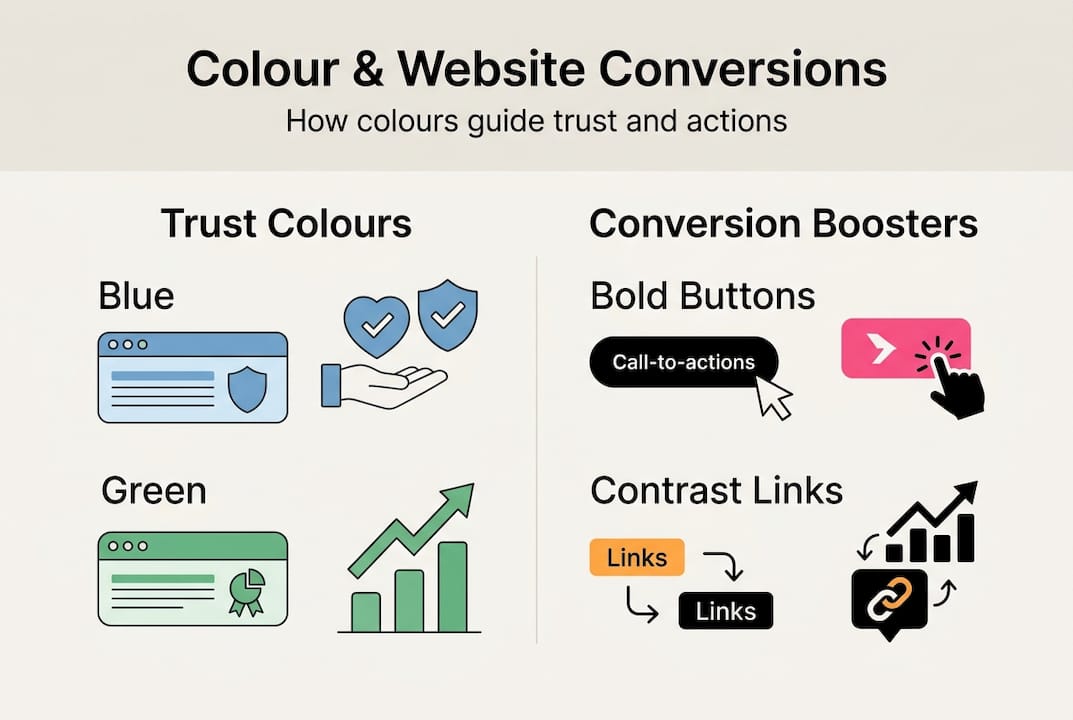
Strategic colour use in calls-to-action can significantly lift conversion rates. This isn’t a minor tweak. Changing a button from grey to a bold contrasting colour has been shown to increase clicks by double digits in many real-world tests.
Here’s how colour drives user experience on service websites:
- Calls-to-action (CTAs) should use your accent colour, something that stands out clearly from the rest of the page. If your site is mostly blue, an orange or green button will draw the eye immediately.
- Navigation benefits from subtle colour cues that help users understand where they are and where to go next. Active page links in a distinct colour reduce confusion.
- Trust signals like testimonials, certifications, and guarantees are reinforced when surrounded by calm, professional colours like blue or green.
- Urgency can be created with red or orange near time-sensitive offers or booking prompts, but use it sparingly or it loses its effect.
“The best colour for a button is the one your visitor notices first. Everything else is secondary.”
Readability is part of this too. Dark text on a light background is still the gold standard for body copy. Avoid light grey text on white backgrounds, a common mistake that looks minimal but is genuinely hard to read, especially on older screens or in bright conditions.
For more on how design decisions affect business outcomes, website growth tips and UX web design are worth exploring.
Pro Tip: Heatmap tools like Hotjar show you exactly where visitors are clicking and scrolling. If your main CTA button isn’t getting attention, a colour change is often the fastest fix.
Testing and optimising colour on your website
You don’t have to guess whether your colours are working. You can test them. A/B testing different colour options can lead to statistically significant performance changes, and you don’t need to be a developer to get started.
A/B testing (split testing) means showing two versions of a page to different visitors and measuring which one performs better. It sounds technical, but the basics are accessible to any business owner willing to spend a bit of time on it.
Here’s a simple process to get started:
- Pick one element to test. Start with your main CTA button. Change only the colour, nothing else. This keeps your results clean and meaningful.
- Use a testing tool. Google Optimize (free) or tools built into platforms like Shopify make it straightforward to run basic tests without touching code.
- Run the test long enough. You need enough visitors to get reliable data. For most small NZ service businesses, that means at least two to four weeks.
- Read the results honestly. If the new colour performs better, switch it. If it doesn’t, try another variation. The goal is learning, not winning.
- Move to the next element. Once you’ve optimised your button, test your banner, then your headings, then your form backgrounds.
You can also gather feedback the old-fashioned way. Ask five people who match your target audience to look at your homepage and tell you what they notice first. Their answers will tell you a lot about whether your colour hierarchy is working.
For a solid grounding in the process, A/B testing basics is a helpful starting point. And if you want to see how colour changes connect to broader brand improvements, brand enhancement through design covers the bigger picture.
Pro Tip: Focus your first tests on high-traffic, high-impact pages. Your homepage and your main service page will give you faster, more useful data than a rarely visited page.
Get expert help bringing colour to your web design
Understanding colour theory is one thing. Applying it to a real website, with real business goals and a real audience, is where most business owners get stuck. That’s completely normal. You’re an expert in your trade, not in web design.

At Virtual Innovation, we work with Kiwi service businesses every day to build websites that look great and actually perform. From palette selection and accessibility testing through to full WordPress website design NZ and Shopify websites NZ builds, we handle the detail so you don’t have to. If you’re not sure where to start, find a designer near you and have a no-pressure chat about what your website could be doing better. We’re down to earth, we speak plain English, and we genuinely enjoy helping NZ businesses grow.
Frequently asked questions
What is the best colour for a service business website?
Blue and green are often strong choices because they’re associated with trust and calmness, but the best colour ultimately depends on your brand’s personality and the expectations of your specific audience.
How many colours should I use for my website palette?
Aim for three to five colours: one primary, one or two accents, and supporting neutrals. Consistent colour use keeps your brand recognisable and your site visually clear.
How can colour impact website conversion rates?
Strategic colour on calls-to-action draws the eye to key actions like booking or contacting you. Colour lifts conversion rates when it creates clear contrast and guides visitors toward the next step.
Should I test colours on my website before launch?
Yes, absolutely. A/B testing colour helps you find what resonates with your specific audience rather than relying on assumptions or personal preference.