
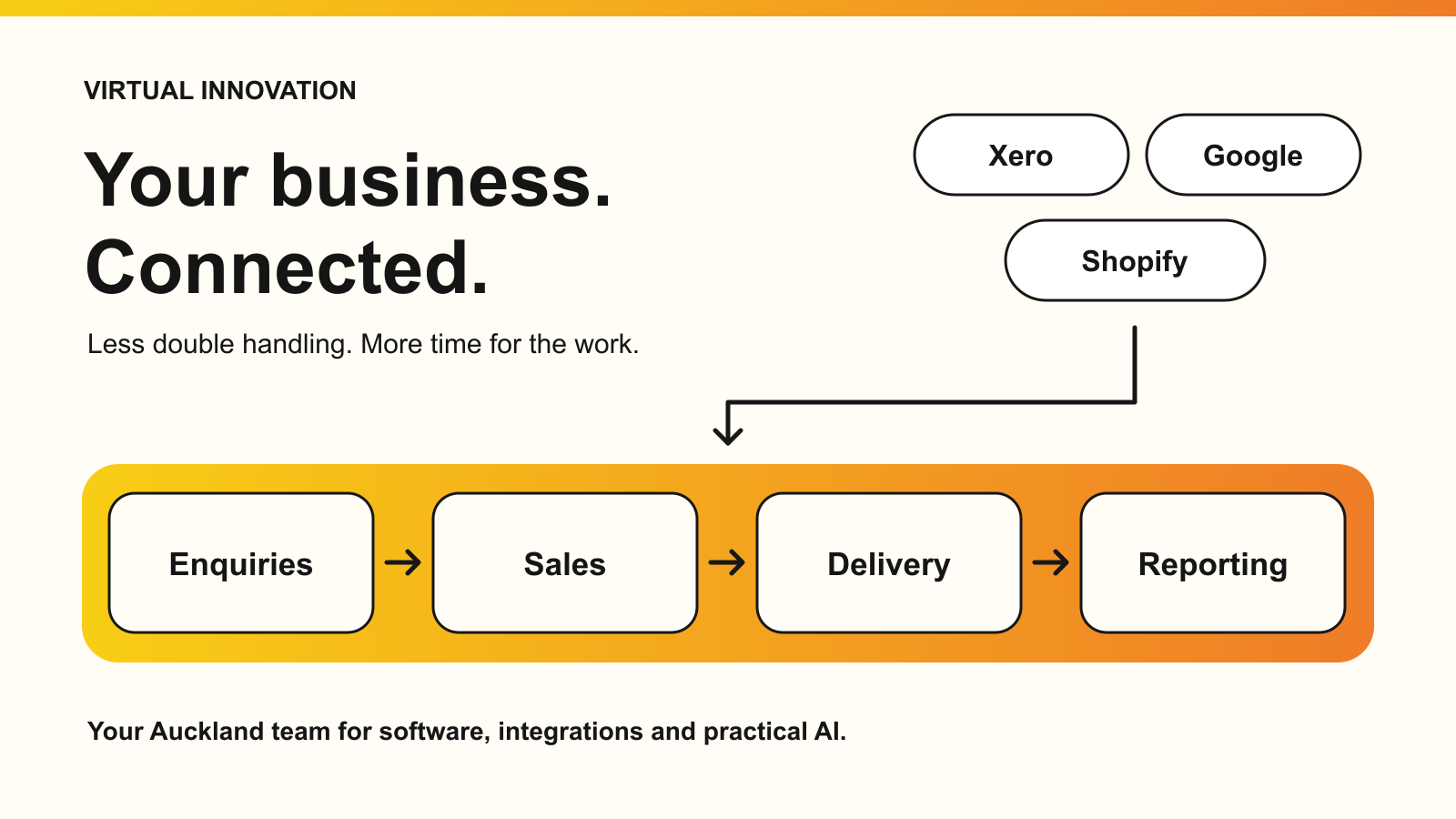
You have Xero for the accounts. Google for emails and documents. Maybe Shopify for online orders, Fergus for jobs, and a spreadsheet that only one person really understands.
Individually, they do a decent job. It is the work between them that gets you.
Someone copies an enquiry into the CRM. Someone else types the same customer into another system. A job gets finished, but the person doing the invoicing does not hear about it until Friday. You ask what work is coming up and three people start opening spreadsheets.
That is the kind of business automation we help with at Virtual Innovation. We are an Auckland-based software and innovation team. We connect the tools you use, build the parts you are missing and use AI to take some of the repetitive work off your people.
The result we are working towards is simple: less chasing, less double handling and a clearer view of your business.
An Auckland team that gets to know how you work
I run Virtual Innovation from Auckland, with team members internationally. We work with owners and teams who are good at what they do but have outgrown some of the systems holding it together.
You might be a trade business, manufacturer, retailer or professional services firm. You do not need to arrive knowing which AI tool you want. Show us what happens when an enquiry comes in, an order is placed or a job is finished.
We want to hear from the person doing the admin as well as the person running the business. They usually know exactly where the annoying bits are.
Then we work out what to connect, what to improve and what is already doing its job. You can start with one problem. If you need someone looking across the whole picture, we can become your innovation team, helping you decide what to tackle next and getting the work done.
Xero: stop retyping what your business already knows
Your accounting system needs accurate information. Your team should not have to enter the same details three times to get it there.
We can work with Xero connections around customers, invoices, payment information and reporting. Depending on your setup, that could mean preparing a draft invoice from an approved job, showing invoice status alongside a customer record, or bringing financial information into an internal dashboard.
The useful part is agreeing when something is actually ready. A salesperson moving a deal forward is not always permission to invoice. We work through those rules with your team and whoever looks after the accounts.
Xero’s Accounting API supports accounting integrations. What we build depends on the access available and the way your business handles its records. These are examples of possible workflows, rather than a promise that every connection is ready to switch on.
Cornerstone: keep Fergus, fix the double handling
For Andrew and the team at Cornerstone Security, the problem was the gap between sales and job management. Fergus was useful, but keeping their separate CRM updated had become clunky. The admin team were repeating work, and seeing what was coming next was difficult.
We spent time with Andrew and Susanna understanding their day. Then we built a custom CRM connected to Fergus. Estimates could stay in Fergus, where the team wanted them, while the CRM brought sales stages, follow-ups and forward work together.
We also built an office dashboard that updates from the CRM. The team can see the picture without someone rebuilding a report each time.
This was a Fergus and CRM project. It shows the same principle we bring to an accounting connection: let each system do its job, and sort out the handover between them.
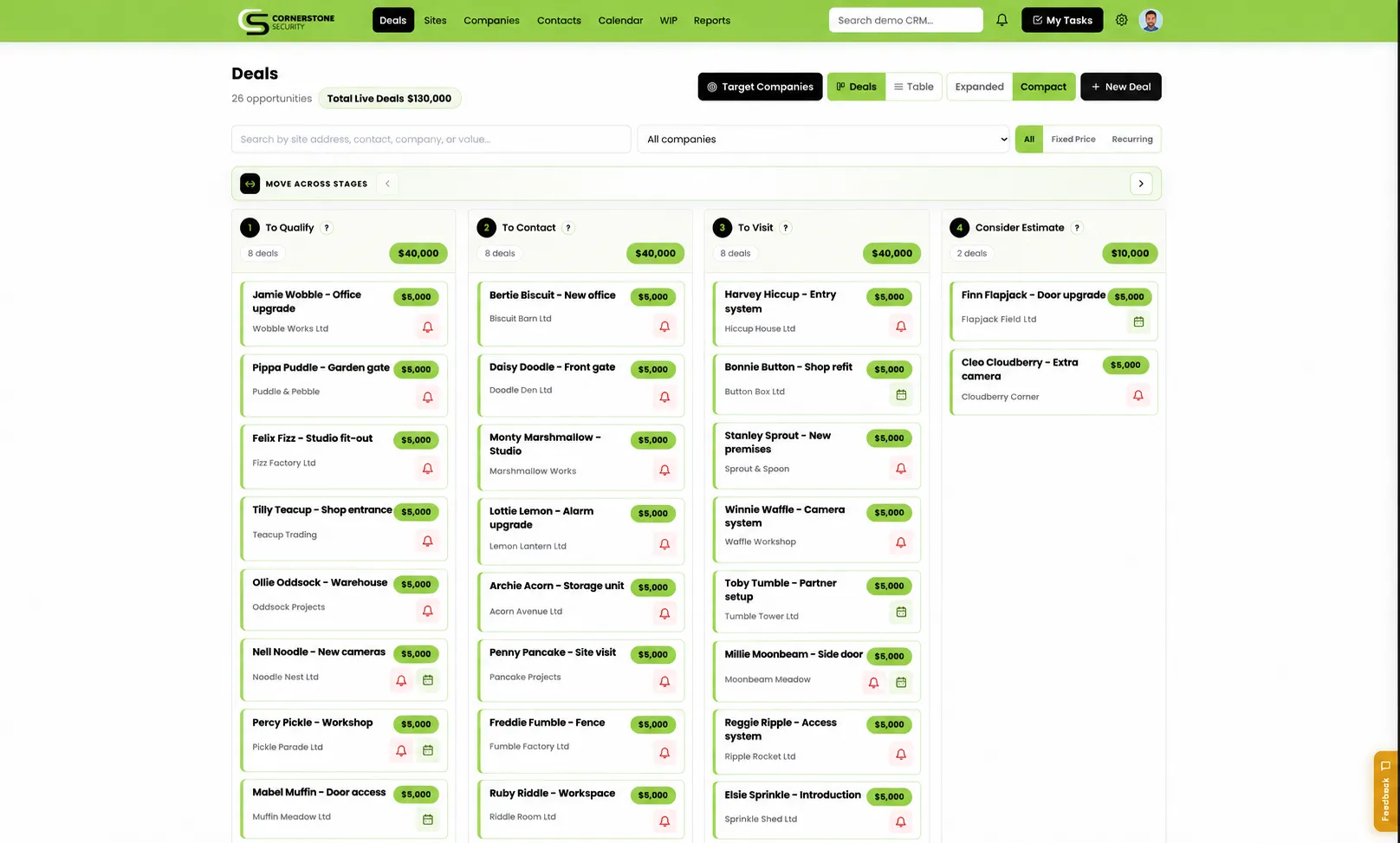
Cornerstone’s custom CRM. Demonstration data shown.
Read Cornerstone’s story and Andrew’s testimonial, or take a closer look at the Fergus integration.
Google: make the inbox lead somewhere useful
Gmail, Drive, Sheets and Calendar are often where a lot of the real work happens. They are also where information can get scattered.
A Google Workspace workflow could take a new enquiry, prepare a summary, create a CRM task and keep the relevant documents together. Another could prepare a job folder when work is approved, or put agreed dates into a shared calendar.
Google provides tools for connecting and automating Workspace. We work out which parts suit your process and who should be able to see or change the information.
AI can help with the messy part: reading a long message, pulling out the important details or drafting a reply. Your team can check the result before it goes to a customer.
Davis: an enquiry needs an owner
Our work with Davis Dyslexia covers website hosting, enquiry forms and a custom lead-management CRM for their worldwide facilitator network.
Getting an enquiry is only the start. It needs to reach the right person, with enough information to act on it. The team also needs to see who is following up and what happened next.
The Davis CRM helps connect those steps. That is the kind of outcome we look for when reviewing an inbox or a form: a useful next action, with someone responsible for it.
See how we built the Davis lead-management system.
Shopify: connect the order to the work behind it
An online sale can set off quite a chain of work. There may be stock to check, a custom order to prepare, delivery details to confirm and information to pass to the accounts team.
We can help connect Shopify with the systems behind your store. Depending on the tools involved, that might mean creating a production task from an order, flagging an exception for someone to review, or bringing order information into a CRM or reporting system.
Shopify provides event notifications called webhooks, which let connected software respond to changes such as new orders. We check the existing apps first. Sometimes a well-chosen connection will do the job; sometimes your process needs a custom piece of software.
You can talk to us about the Shopify website and the work behind it together. A good checkout is useful. So is the team knowing exactly what to do once the order arrives.
For Shoe Clinic, our move from Magento to Shopify included integration with their existing point-of-sale system, payment providers and key business tools. We worked through the wider setup with their team, including POS and email marketing. Read the Shoe Clinic case study.
AI that helps with the actual work
There are plenty of AI tools to try. The harder question is where one will make your working day better.
Useful applications can include:
- Summarising a long enquiry so your team can get up to speed quickly.
- Pulling job details out of emails and documents, with missing information flagged.
- Drafting a follow-up from the customer history for a person to check.
- Helping staff find an answer in your approved internal information.
- Preparing a plain-English summary of work waiting, overdue tasks or pipeline changes.
Some jobs do not need AI at all. Copying an approved order number between systems should be a dependable software rule. Understanding an untidy email is where AI may help.
We make that distinction early. We also build in ways to check the output, see when something has failed and get a person involved. An automation that quietly gets something wrong just gives you a different kind of admin.
Promisia: the website is one part of the business
For NZX-listed Promisia Healthcare, we rebuilt their public website from scratch in eight weeks, working in short stages with their team.
Alongside that work, we have been developing Promisia Connect, a custom CRM around their operational needs, and advising on what comes next. It is an ongoing build, shaped by the people using it.
That relationship is a good example of how we work. The website matters, but so do the systems behind it. Having a team involved across both helps keep the next improvement connected to the wider business.

Explore the Promisia Connect case study.
Xero, Google, Shopify and the rest of your setup
Those three are a starting point. Your business may also use Microsoft 365, Fergus, WordPress, a booking platform, a payment service or industry-specific software.
We check how each system can connect before recommending a build. That includes what information it can share, whether it can receive updates, what access is needed and what happens if it is temporarily unavailable.
Sometimes the answer is an existing integration. Sometimes it is a custom CRM or workflow tool. Sometimes it is changing a process that has become more complicated than it needs to be.
You should understand the recommendation without needing a lesson in software development.
Let’s look at the bit that is slowing you down
If you are looking for business automation in Auckland, bring us one real example. The quote that takes too long. The spreadsheet you keep rebuilding. The order someone has to enter twice.
On a free 30-minute call, we can talk through what happens now, what you would like to happen and whether there is a sensible first improvement to explore. You do not need a technical brief.
We are your Auckland team for the websites, workflow software, integrations and practical AI that help your business run. Start with the frustrating bit. We will help you work out the next step.