
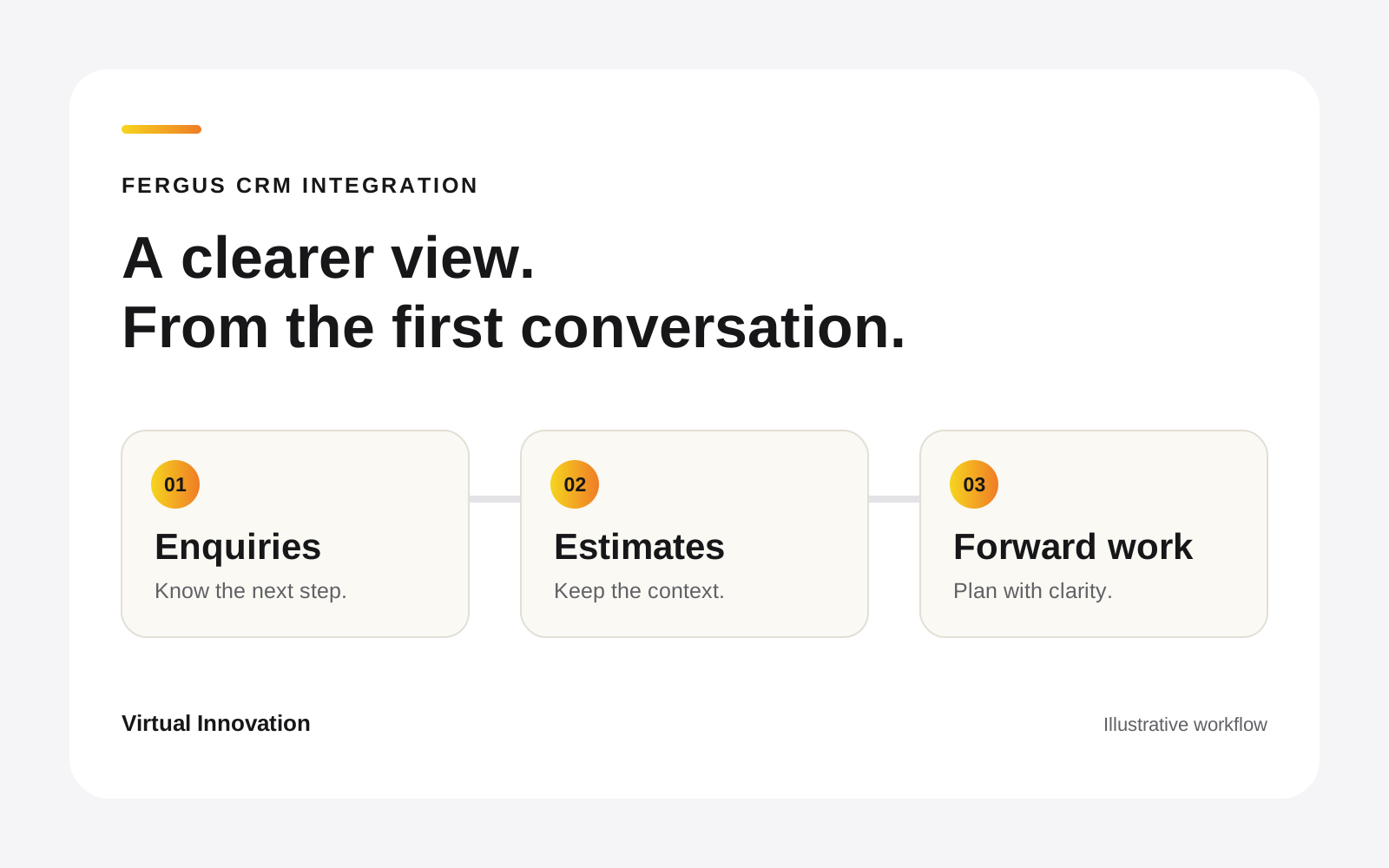
You have jobs to deliver, estimates to follow up and a customer who called last Tuesday. Fergus is part of the working day. But the sales picture still lives across inboxes, a CRM and somebody’s spreadsheet.
That is where a Fergus CRM integration can make a practical difference. Connect the information around the job, give every enquiry a clear next step, and make it easier to see what work might be coming.
I have known Andrew Waugh at Cornerstone Security for years. He started out as a videographer, moved into CCTV with another security company, then built his own business from the ground up. He is someone who can see a practical use for technology and get excited about what it could do for a customer.
As Cornerstone grew, keeping the business systems lined up was taking too much of the team’s attention. We built a connected sales CRM around their day, with Fergus continuing to handle the work they wanted to keep there. Here is how we approached it together.
What does a Fergus CRM integration do?
Fergus is job-management software for trade businesses, with tools for quoting, scheduling, tracking jobs and invoicing. A CRM, or customer relationship management system, helps organise customer relationships and the process of winning work.
There is overlap. Before adding anything, it is worth checking whether your existing Fergus setup already solves the problem.
A custom connection becomes useful when your sales process needs something more specific: several people involved in one opportunity, a site visit before estimating, different follow-up steps for different work, or a forward view that matches how you plan the business.
Fergus provides both an Open API for connecting external systems and a Zapier integration. The important part is deciding what should move between systems, when it should move, and who checks it.
Cornerstone Security: getting a clearer view of the business
Andrew and the team were using Fergus for job management and a Zoho CRM for sales. Their setup had become awkward to keep up to date. Information was being repeated, the admin team was getting snowed under and the picture of upcoming work was difficult to pull together.
Andrew was deep in the day-to-day work. Finding time to step back and rethink the process was a challenge in itself. Sometimes, when you are inside the bottle, you cannot see the label. An outside conversation can help you see where things have become harder than they need to be.
We spent time with Andrew and Susanna from his team, talking through what they did, what they liked and what frustrated them. Those conversations shaped the build. The admin team’s repeated tasks mattered just as much as the information Andrew needed to see.
We started with our Workflow CRM foundation, shaped it around Cornerstone and connected Fergus. The custom CRM replaced their Zoho setup and brought their sales stages, enquiries and follow-ups into a process the team could keep improving.
Keeping estimates in Fergus
Cornerstone wanted to keep building estimates in Fergus, where their product lists were already managed. We worked around that choice, linking the estimates into the CRM sales process so the team could follow the work through with less double handling.
That decision mattered. A useful integration needs to fit the way people actually do their work. The starting point was understanding which parts of Fergus the team wanted to keep using and where the CRM needed to help.
A forward-work dashboard the team could see
One of the biggest frustrations was reporting on forward work. Looking across the CRM and Fergus made it hard to see what was coming, what could be tracked and how to bring it into an internal dashboard.
We built an office dashboard that could be displayed on a TV and updated automatically from the CRM. It gave the team a shared view of upcoming work within the same platform. The details still need to be kept current, but the view is there for the team to use throughout the day.
Building it with the people who use it
We worked in stages, meeting with Andrew and Susanna and adjusting the system as they used it. Real use brings up details that are difficult to spot in the first planning session. Having a team who understands the business and can respond to that feedback is part of making the CRM useful over time.
Security was a core consideration throughout the project. Alongside the workflows and reporting, we had to understand how the system would be used and look after the information involved.
Andrew now owns the CRM as an asset for Cornerstone. Their processes and know-how are built into the software, helping staff learn the steps as they work. That is one of the things I enjoy most about this kind of project: the system can carry more of the routine, while the people spend more time on the business.
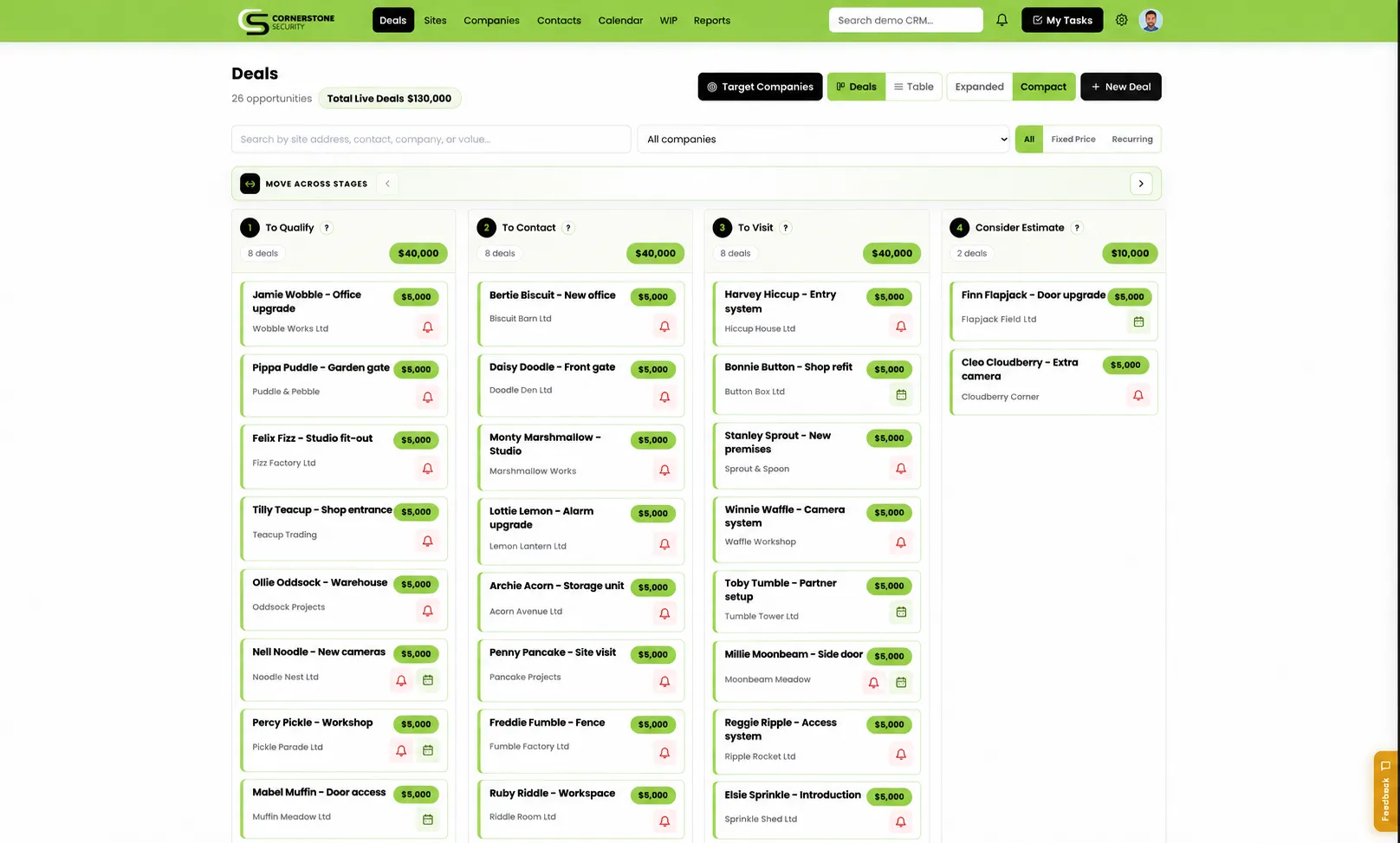
Cornerstone’s CRM interface. The customers and values shown are demonstration data, not business results.
Andrew Waugh, CEO of Cornerstone Security, described the result as:
“one cohesive, sales-oriented platform: our new customised Cornerstone CRM!”
Andrew’s testimonial reflects the initial delivery and the team’s intention to keep developing the quoting and follow-up processes. Those ongoing conversations are part of the relationship.
Read Cornerstone’s full story and Andrew’s testimonial.
Where does your enquiry get stuck? Show us how an enquiry becomes a job. We’ll talk through the handovers and what your team needs next.
Book a free 30-minute workflow conversation.
From enquiry tracking to an estimate worth following up
A new enquiry is not yet a job. Someone needs to understand the request, speak to the customer, arrange a visit if needed and decide what to estimate.
When those steps are buried in individual inboxes, work can go quiet without anyone noticing. A useful CRM gives each opportunity an owner, a stage and a next action.
For a trade or service business, a connected process can look like this:
- Capture the enquiry. Keep the customer, site, source and requested work together.
- Qualify the opportunity. Record the conversation and what the team needs before estimating.
- Prepare and track the estimate. Connect the sales opportunity with the relevant Fergus record, so the team can find the right job and estimate.
- Follow up with context. Know what was discussed, who is responsible and when to get back in touch.
- Hand over accepted work. Review the agreed scope and the next operational steps, with Fergus continuing to manage the job.
The exact steps depend on your business and the actions supported by the connection. We agree those details before building.
Cornerstone’s integration includes a reviewed workflow around linked estimates and job phases. Checks matter here: accepting an estimate, changing a value and creating job phases are different actions. A tight integration makes the right action easier without silently treating all three as the same thing.
Better forecasting starts with separating possible work from won work
“We have plenty in the pipeline” is reassuring until you need to decide whether to hire, order equipment or fill a quiet month.
The useful questions are more specific. Which estimates are still live? What has the customer accepted? When is the work likely to happen? What needs a follow-up before you can make a sensible plan?
A connected CRM gives you a stronger foundation for answering those questions. The reporting needs to separate the different kinds of value:
| View | What it helps you understand |
|---|---|
| Open opportunities | Work you might win, with a next action and expected timing |
| Estimates awaiting a decision | Proposals that need customer follow-up or a revised scope |
| Accepted work | Commitments that need an operational handover |
| Forward work | How expected work is spread across future periods |
| Invoicing and payment | What has been billed or paid, kept separate from new sales |
Agreeing these definitions early gives everyone the same basis for planning. Each business can then choose the reporting it actually needs.
If you use a weighted forecast, make the assumptions visible. A likely opportunity is still not a confirmed order. An accepted job is not automatically invoiced, and an invoice is not automatically paid. Counting the same job again as it moves through those stages can make a report look much healthier than the business really is.
The aim is a clearer conversation about the months ahead. Your team should be able to explain the numbers and identify what needs attention, without rebuilding a spreadsheet before every meeting.
Where the day-to-day value comes from
The benefit of an integration is often in the small handovers that happen repeatedly.
Less double entry. Agree which system owns each piece of information and share it where it is needed. The team spends less time copying details and checking which version is current.
Follow-ups that belong to the team. If someone is away, a colleague can see the opportunity, the latest conversation and the next action. The customer should not need to start again.
A cleaner estimate-to-job handover. Keep the agreed scope connected to the opportunity and the Fergus record, with a review before consequential changes.
More useful management conversations. Look at stalled opportunities, upcoming work and missing information together. Spend the meeting deciding what to do, rather than finding the latest numbers.
These are the outcomes we design for. Exact savings depend on your process and how the team uses the system. At Cornerstone, reducing repeated admin and bringing forward-work information into one view were central to the work.
A simple connection or a custom CRM?
You may only need one small automation. If the task is to create a record when a supported event happens, check the available integrations first.
A custom CRM becomes more useful when the problem spans several people, sales stages and decisions. For example, your team might need different workflows for new installations and recurring work, a review before a job moves forward, or a forecast organised around the way your business operates.
That is also why we start with the process. Copying every spreadsheet field into a new application rarely makes anyone’s day better. We want to know what your people need to see, what they should do next and what they can stop doing twice.
Our custom CRM development guide explains how we approach that wider decision.
Start with one real enquiry
Bring us an enquiry that became an estimate and, ideally, a job. Walk us through the emails, handovers, follow-ups and reporting you needed along the way.
We will map where the process gets awkward, check what Fergus can support and agree the first useful improvement. That might be connecting your existing CRM, replacing a disconnected sales tool or improving one part of the handover.
Virtual Innovation is based in Auckland and builds custom software for New Zealand businesses. If you use Fergus and want a clearer sales process, book a free 30-minute conversation. We can look at what is worth connecting before you commit to a build.
Frequently asked questions
Can Fergus integrate with a CRM?
Yes. Fergus provides an Open API and a Zapier integration. The right connection depends on the CRM, the information you need to share and the actions supported. We have built a custom sales CRM connected to Fergus for Cornerstone Security.
Do we need to replace Fergus to improve our sales process?
No. A CRM integration can keep Fergus as your job-management system while giving your team a sales workflow shaped around enquiries, follow-ups and upcoming opportunities. Start by checking what your existing Fergus setup already covers.
Can a Fergus CRM integration improve forecasting?
It can give you a clearer basis for planning by connecting opportunity stages, estimate values and expected timing. Keep possible work, accepted work and invoicing separate. A forecast depends on current information and agreed rules; it is not guaranteed revenue.
Is a custom Fergus integration better than Zapier?
It depends on the problem. Zapier can suit a straightforward trigger and action. A custom integration can suit more involved sales stages, review steps, permissions and reporting. Check the supported actions before deciding how much to build.
How do we start a Fergus CRM integration project?
Bring one real enquiry and walk us through how it becomes an estimate and a job. We map the handovers, check the available connections and agree the first useful improvement before building.