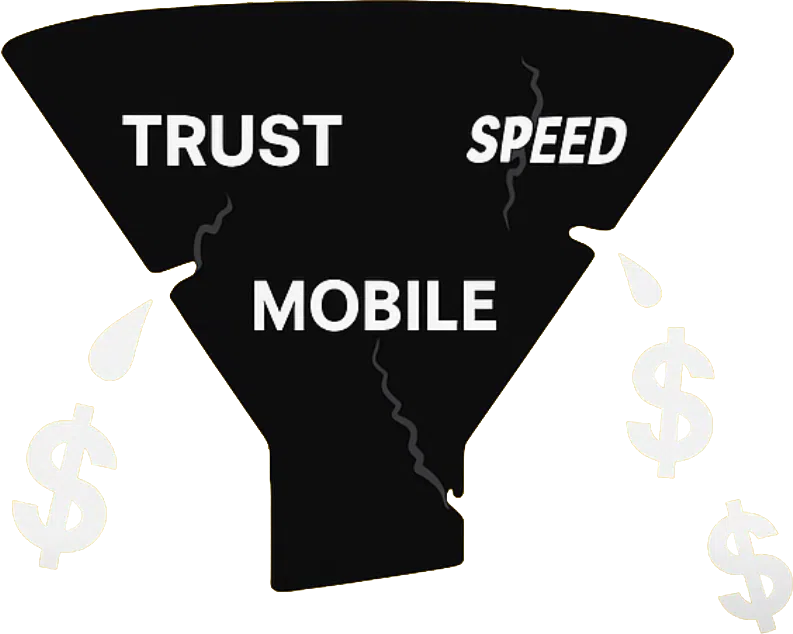
Why website speed matters: boost conversions and trust
Discover why website speed matters for NZ small businesses. Learn how faster load times boost conversions, build trust, and improve your Google r...

If someone in your town searches for the service you offer right now, does your business show up? If you haven’t set up and optimised your Google Business Profile NZ listing, the honest answer is probably no. And that means you’re handing enquiries to a competitor who took 30 minutes to sort theirs out.
For service-based businesses across Auckland and wider New Zealand, a well-managed Google Business Profile is one of the highest-return things you can do online. It costs nothing to claim, it builds trust instantly, and it puts your phone number and booking link in front of people who are already looking for exactly what you do.
This guide walks you through everything you need to know about Google Business Profile NZ in 2026: how to set it up properly, what to fill in, how to get reviews, and how to keep it working hard for your business month after month.
What Is Google Business Profile and Why Does It Matter for NZ Businesses?
How to Optimise Your Google Business Profile NZ for More Enquiries
Getting and Managing Reviews on Your Google Business Profile NZ
Google Business Profile (formerly Google My Business) is the free listing that appears when someone searches for your business name or for services like yours in a specific location. It shows your hours, photos, reviews, address, website, and a click-to-call button directly in the search results.
For a tradie in Tauranga, a physio clinic in Ponsonby, or a marketing agency in Christchurch, your Google Business Profile NZ listing is often the very first impression a potential client gets. Before they visit your website, before they call, they see your profile. That means it needs to be complete, accurate, and compelling.
The ‘local pack’, which is the map and three-business block that appears at the top of local search results, is prime real estate. Businesses with fully optimised Google Business Profile NZ listings are far more likely to appear there. That visibility translates directly into calls, website visits, and booked jobs.
Kiwis search locally more than many business owners realise. According to Google’s own business resources, a significant portion of all searches have local intent, meaning people are looking for something nearby. In New Zealand’s smaller cities and towns, that intent is even more concentrated.
When someone in Hamilton searches ‘plumber near me’ at 7pm, they are not browsing, they are ready to hire. Your Google Business Profile NZ listing is what gets you in front of that person at exactly the right moment. If your listing is incomplete or outdated, they call someone else.
Setting up your Google Business Profile NZ is straightforward, but getting the details right from the start saves a lot of headaches later. Here is how to do it properly.
Head to business.google.com and sign in with a Google account. Search for your business name to check whether a listing already exists. If it does, you need to claim it rather than create a duplicate, which can confuse Google and hurt your visibility.
Your primary category is one of the most important decisions you will make. Choose the category that best describes your core service, not a broad one. A house painter should select ‘Painter’ rather than ‘Home Improvement’, and a family lawyer should choose ‘Family Law Attorney’ rather than just ‘Lawyer’.
If you travel to clients rather than having a shopfront, set a service area instead of a physical address. You can define this by suburb, city, or region. For businesses serving greater Auckland or multiple North Island locations, listing each relevant area on your Google Business Profile NZ helps you appear in more local searches across those areas.
Add secondary categories where relevant. A web design agency might list ‘Internet Marketing Service’ or ‘Software Company’ as secondary options. This broadens the searches your Google Business Profile NZ can appear for without diluting your primary focus.
Claiming your listing is just the beginning. An uncompleted Google Business Profile NZ listing is barely better than not having one at all. Google rewards completeness, and so do the people reading your profile.
Fill in every section available: business description, opening hours (including public holidays), phone number, website URL, and all relevant attributes. Attributes might include things like ‘free consultations’, ‘EFTPOS accepted’, or ‘appointment required’. These small details help potential clients decide whether to contact you.
Your business description is 750 characters and every word counts. Write it for a real person first, not for an algorithm. Describe who you help, what you do, and why clients choose you. Include your location naturally, for example ‘serving Auckland’s North Shore and surrounding suburbs’.
Weave your core service terms in naturally. If you are a bookkeeper in Wellington, mention bookkeeping, payroll, and GST returns. If you are a web designer in Auckland, mention website design, small business websites, and local SEO. Your Google Business Profile NZ description is not an essay, it is a focused pitch.
Avoid stuffing keywords in a way that reads awkwardly. Google reads context well in 2026, and so does the person deciding whether to call you. Clear, natural language with your key services mentioned once or twice is the right approach.
Reviews are the single most persuasive element of your Google Business Profile NZ. A business with 40 genuine five-star reviews will win the click over a competitor with six reviews almost every single time. This is not just about perception, Google uses review volume and quality as a ranking signal for local search.
The most effective way to get reviews is simply to ask. Send a follow-up message after a job is completed with a direct link to your review page. Make it easy. Most happy clients are willing to leave a review, they just need a prompt and a frictionless path to do so.
Respond to every review, positive and negative. Thanking a happy client by name and mentioning the specific job shows future readers that there is a real, attentive person behind the business. It also signals to Google that your Google Business Profile NZ listing is actively managed.
Negative reviews are uncomfortable, but they are an opportunity. A calm, professional response that acknowledges the concern and offers to resolve it tells potential clients more about your character than a perfect score ever could. Never argue in the comments. Keep it brief, professional, and take the conversation offline.
If you are currently managing all of this manually alongside running a busy service business, it might be worth looking at smarter systems. Our article on Running a Business with Spreadsheets: Why It’s Time to Move Beyond Excel covers why manual processes tend to break down as your business grows, and what to do about it.
Google Business Profile allows you to publish posts directly to your listing. Think of them like short social media updates that appear in your search panel. You can share offers, updates, new services, or helpful tips. Posting regularly signals to Google that your Google Business Profile NZ is active and relevant, which can improve your ranking.
Aim to post at least once a fortnight. You do not need to write an essay. A short paragraph with a photo and a call-to-action link is plenty. Share a recent project, announce a seasonal offer, or highlight a service that clients often ask about.
Listings with photos receive significantly more clicks and direction requests than those without. For a service business, photos of your team, your work, and your premises (if applicable) show potential clients what they are getting. Real photos outperform stock images every time.
Upload a clear profile photo (usually your logo) and a cover photo that represents your brand well. Then add genuine photos: a tradie on the job, a before-and-after of a landscaping project, a clinic’s waiting room, or the team at a recent install. Keep adding photos over time. A Google Business Profile NZ with dozens of recent photos looks like a thriving, active business.
Label your photos with descriptive file names before uploading. ‘auckland-kitchen-renovation-2026.jpg’ tells Google more than ‘IMG_4521.jpg’. These small technical habits compound over time.
Your Google Business Profile NZ and your website are not competing tools, they are complementary. Your profile gets people to notice you in search. Your website converts that attention into enquiries, bookings, and clients. Both need to be strong for the system to work.
Make sure the information on your profile matches your website exactly. Your business name, address, phone number, and service descriptions should be consistent across both. Inconsistencies confuse Google and can suppress your local rankings. This consistency is called NAP (Name, Address, Phone) alignment and it matters more than many people realise.
Link your Google Business Profile NZ directly to the most relevant page on your website, not always your homepage. If someone clicks through from a search for ‘Auckland website design’, landing on a page specifically about website design converts better than landing on a generic homepage. Think of the journey from search to enquiry as a single funnel and optimise every step.
If your back-end systems are holding you back from following up leads efficiently, it is worth reading about CRM for NZ Business: Custom Solutions That Actually Work for Kiwi Companies. The right tools make sure no lead from your profile ever falls through the cracks.
A high-performing website backed by a strong Google Business Profile NZ listing creates a compounding effect. More visibility leads to more traffic, more traffic leads to more reviews, and more reviews lead to even better visibility. Getting both right is the foundation of sustainable local growth for any NZ service business.
For businesses thinking longer term about how they capture and use data from enquiries, our piece on Custom CRM: Why Your Future Business Data Starts With What You Do Today is well worth a read. The decisions you make now about how you track leads shape what your business looks like in three years.
Yes, creating and managing a Google Business Profile NZ listing is completely free. You do not pay to claim your profile, add photos, post updates, or respond to reviews. The only costs involved would be if you choose to run Google Ads alongside your listing, which is optional.
Once verified, your Google Business Profile NZ listing typically appears in search results within a few days. Verification usually involves receiving a postcard with a code to your business address, though some businesses are eligible for phone or email verification. Full visibility in competitive local searches can take a few weeks as Google builds confidence in your listing.
The three biggest factors for ranking your Google Business Profile NZ in the local pack are relevance (matching what people are searching for), proximity (how close you are to the searcher), and prominence (your review count, rating, and how active your listing is). Complete your profile fully, gather genuine reviews consistently, and post regular updates to improve all three.
Yes, Google has a mobile app and a mobile-friendly web interface that makes it easy to manage your Google Business Profile NZ on the go. You can respond to reviews, publish posts, update hours, and add photos directly from your smartphone. This makes it practical for busy tradies and business owners to stay on top of their listing without sitting at a desk.
If you receive a review on your Google Business Profile NZ that violates Google’s policies (for example, it’s from someone who was never a client, or it contains false information), you can flag it for removal directly through the platform. Respond professionally in the meantime so other readers can see your side. Genuine, positive reviews from real clients are the best long-term defence against the occasional unfair one.
Your Google Business Profile NZ is one of the most powerful free tools available to any Kiwi service business in 2026. When it is set up well, kept current, and backed by a strong website, it works around the clock to build credibility and bring in enquiries without any ongoing ad spend.
The businesses winning local search in New Zealand right now are not necessarily the biggest or the best, they are the ones who showed up, filled everything in, asked for reviews, and kept their listing active. That is entirely achievable for any business willing to put in a few focused hours.
If you would like help making sure your Google Business Profile NZ is working in sync with a website that actually converts visitors into clients, the team at Virtual Innovation would love to chat. We work with service businesses across Auckland and New Zealand to build websites and digital systems that generate consistent, qualified enquiries.
Ready to make your online presence work harder? Get in touch with the Virtual Innovation team today and let’s talk about what’s possible for your business.